BASE + PRO Features
Intelligent Ink — Handwriting That Moves With You
Intelligent Ink — Handwriting That Moves With You
An innovative toolset for creative productivity. Tasks, Notes, Calendar and Canvas — all through an intuitive, stylus-focused interface. No AI, just a seamless collaboration between your mind and your pen.
An innovative toolset for creative productivity. Tasks, Notes, Calendar and Canvas — all through an intuitive, stylus-focused interface. No AI, just a seamless collaboration between your mind and your pen.
BASE Features
Included with One-Time Purchase
Included with One-Time Purchase
Everything you need to organise your day — purchased once, works on all your devices.
Everything you need to organise your day — purchased once, works on all your devices.
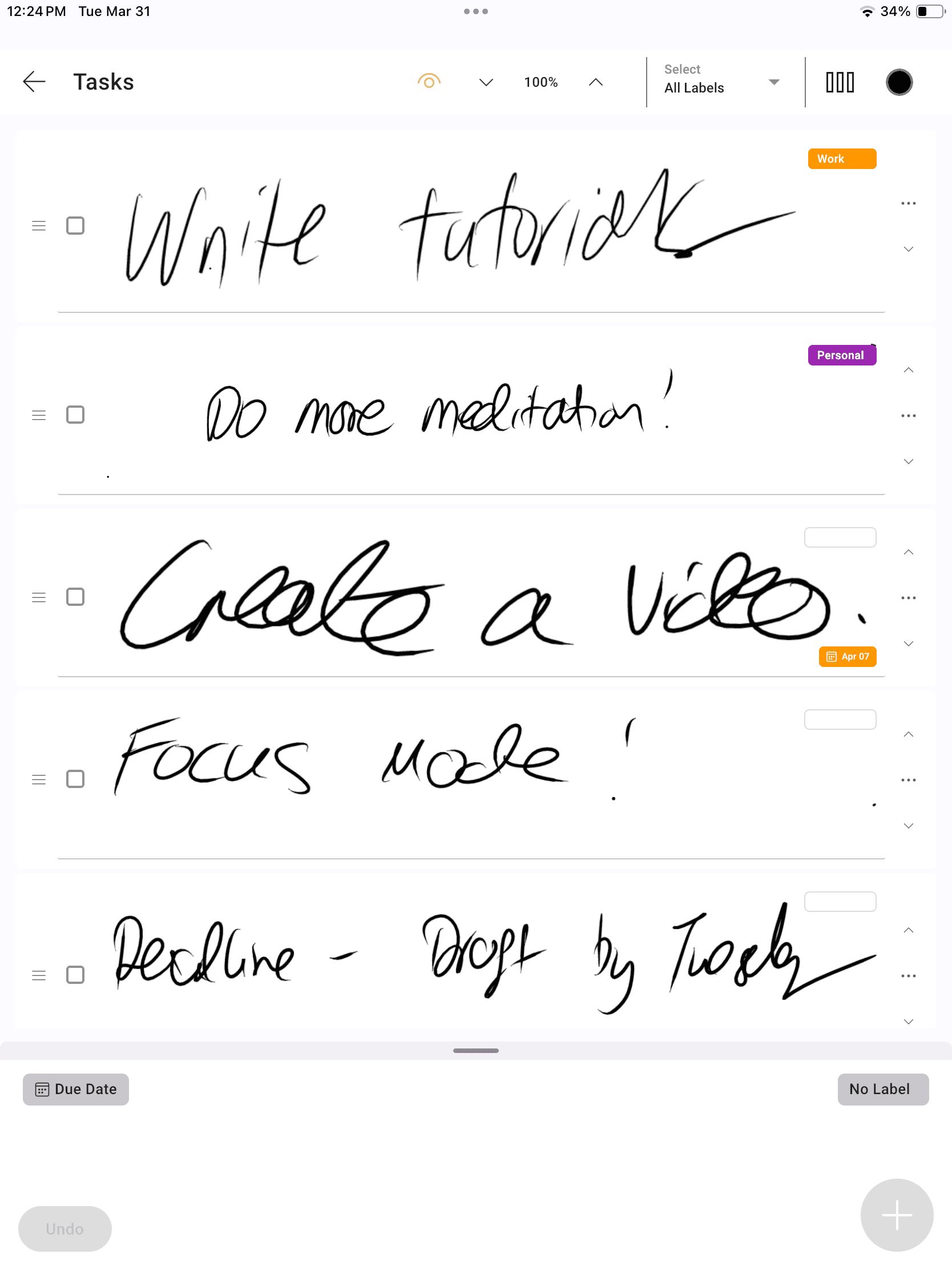
A scrollable, re-orderable handwritten task list — just like the real thing. Sketch your to-do's and rearrange with a flick!
A scrollable, re-orderable handwritten task list — just like the real thing. Sketch your to-do’s and rearrange with a flick!
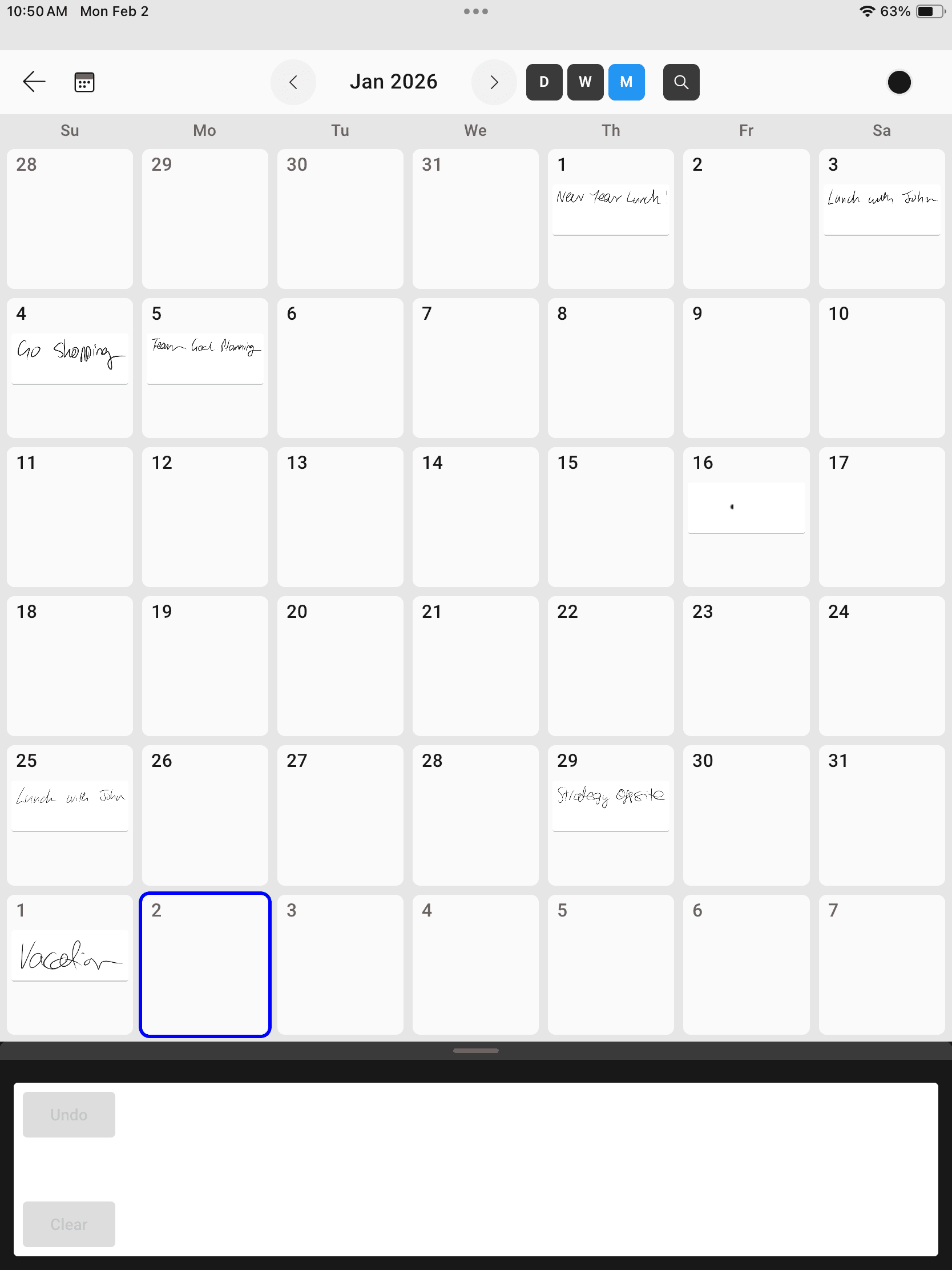
Write into your day — see it your way! Dynamic intelligent ink that redraws into different day, week and month views automatically.
Write into your day — see it your way! Dynamic intelligent ink that redraws into different day, week and month views automatically.
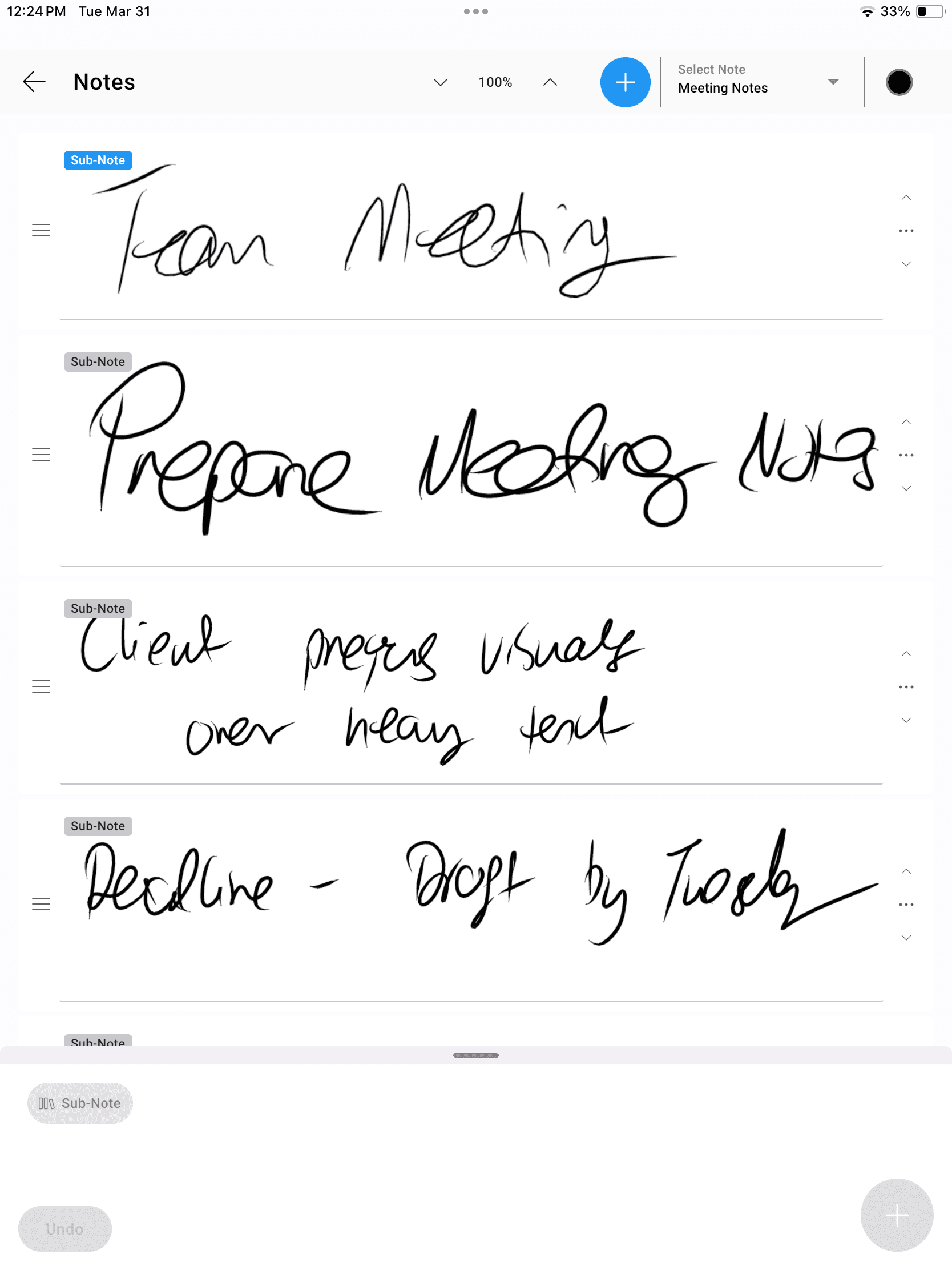
Capture notes and ideas while you listen, watch or meet. Each note can include sub-notes for an extra level of organisation.
Capture notes and ideas while you listen, watch or meet. Each note can include sub-notes for an extra level of organisation.
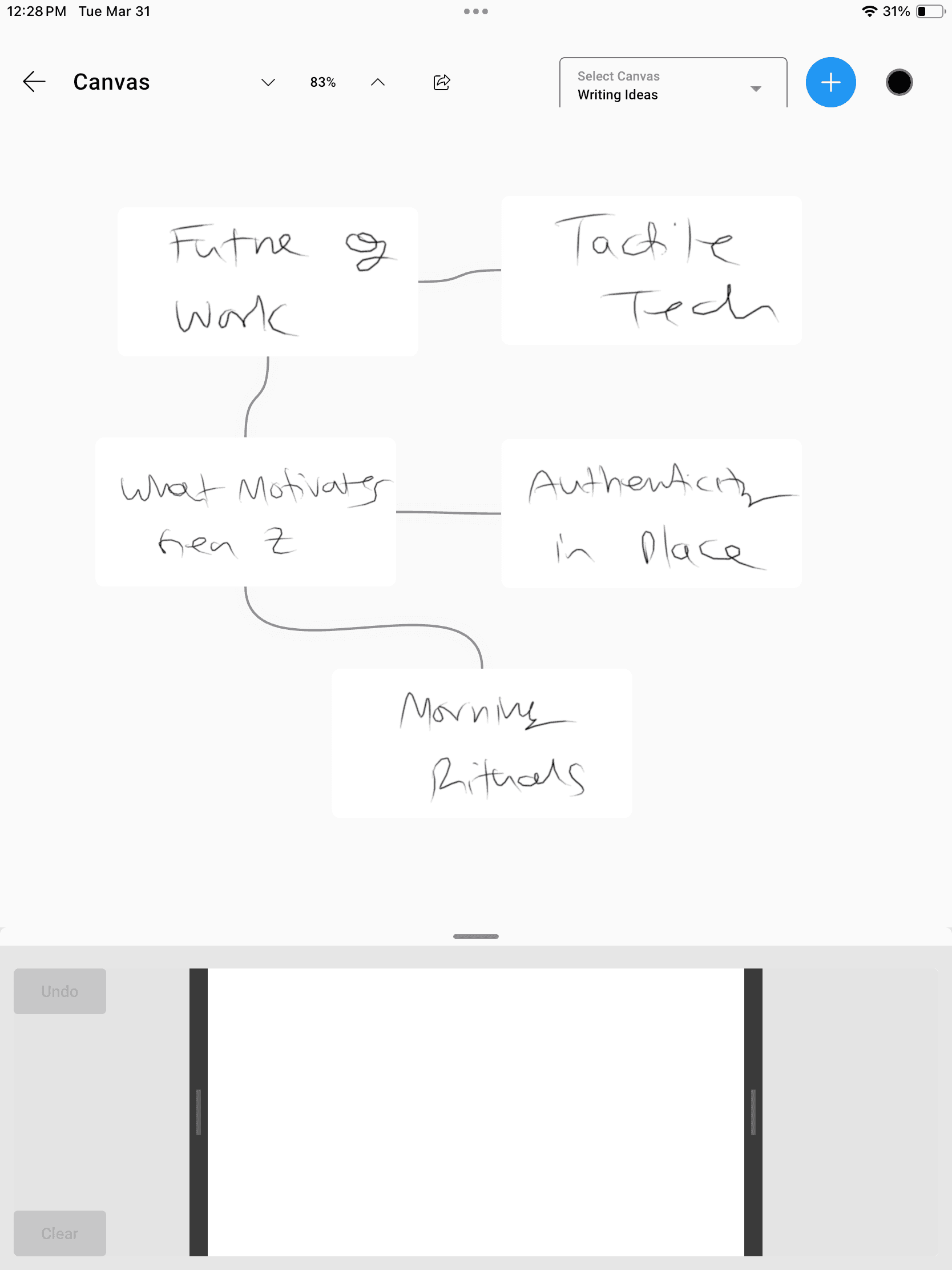
A whiteboard and mind-map canvas to draw out thoughts and ideas — arrange them freely like index cards on a corkboard.
A whiteboard and mind-map canvas to draw out thoughts and ideas — arrange them freely like index cards on a corkboard.
Quick Entry
Quick Entry
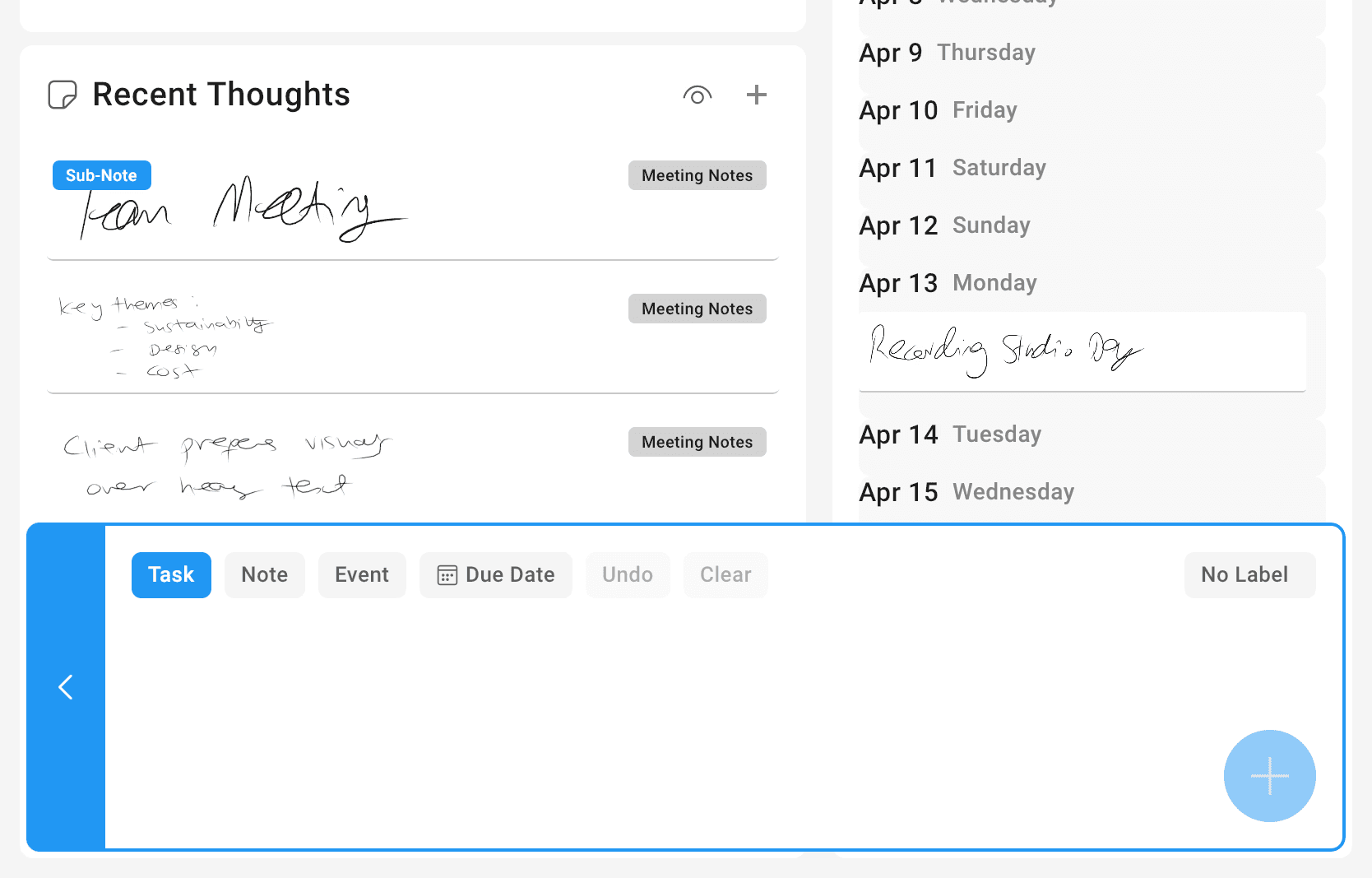
Quickly add a Task, Note or Calendar item from the Home Screen — your fastest path from thought to captured idea.
Quickly add a Task, Note or Calendar item from the Home Screen — your fastest path from thought to captured idea.
Set Task Labels
Set Task Labels
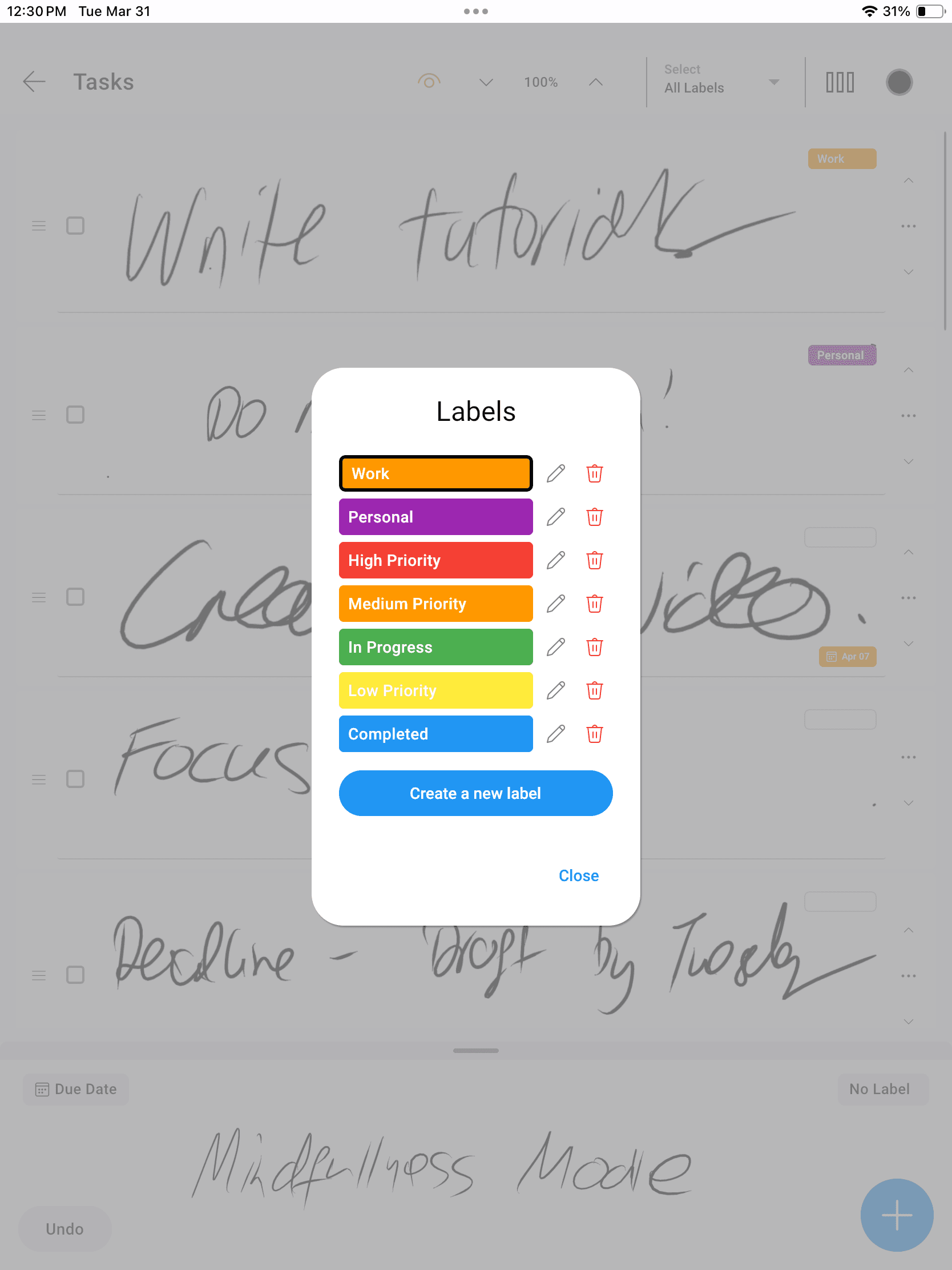
Create and assign labels to your tasks to better view, filter and organise your workload your way.
Create and assign labels to your tasks to better view, filter and organise your workload your way.
Cross Platform Sync
Cross Platform Sync
Plan on your iPad, sketch on your Android phone, view on your Windows desktop. Syncs seamlessly — works fully offline too.
Plan on your iPad, sketch on your Android phone, view on your Windows desktop. Syncs seamlessly — works fully offline too.
Works Offline
Works Offline
You can use InkThink offline - after the 7 day Free trial just go online once to purchase the app and then once done you can continue offline. All data saved locally.
You can use InkThink offline - after the 7 day Free trial just go online once to purchase the app and then once done you can continue offline. All data saved locally.
Multi-Day Calendar Events
Multi-Day Calendar Events
Calendar entries can span multiple days - ideal for planning your vacation of company offsites. Edit events as needed and delete.
Calendar entries can span multiple days - ideal for planning your vacation of company offsites. Edit events as needed and delete.
PRO Features
Power Up with Pro
Power Up with Pro
Optional advanced features via yearly subscription — currently FREE with Base App during our launch offer!
Optional advanced features via yearly subscription — currently FREE with Base App during our launch offer!
Kanban Calendar View
Kanban Calendar View
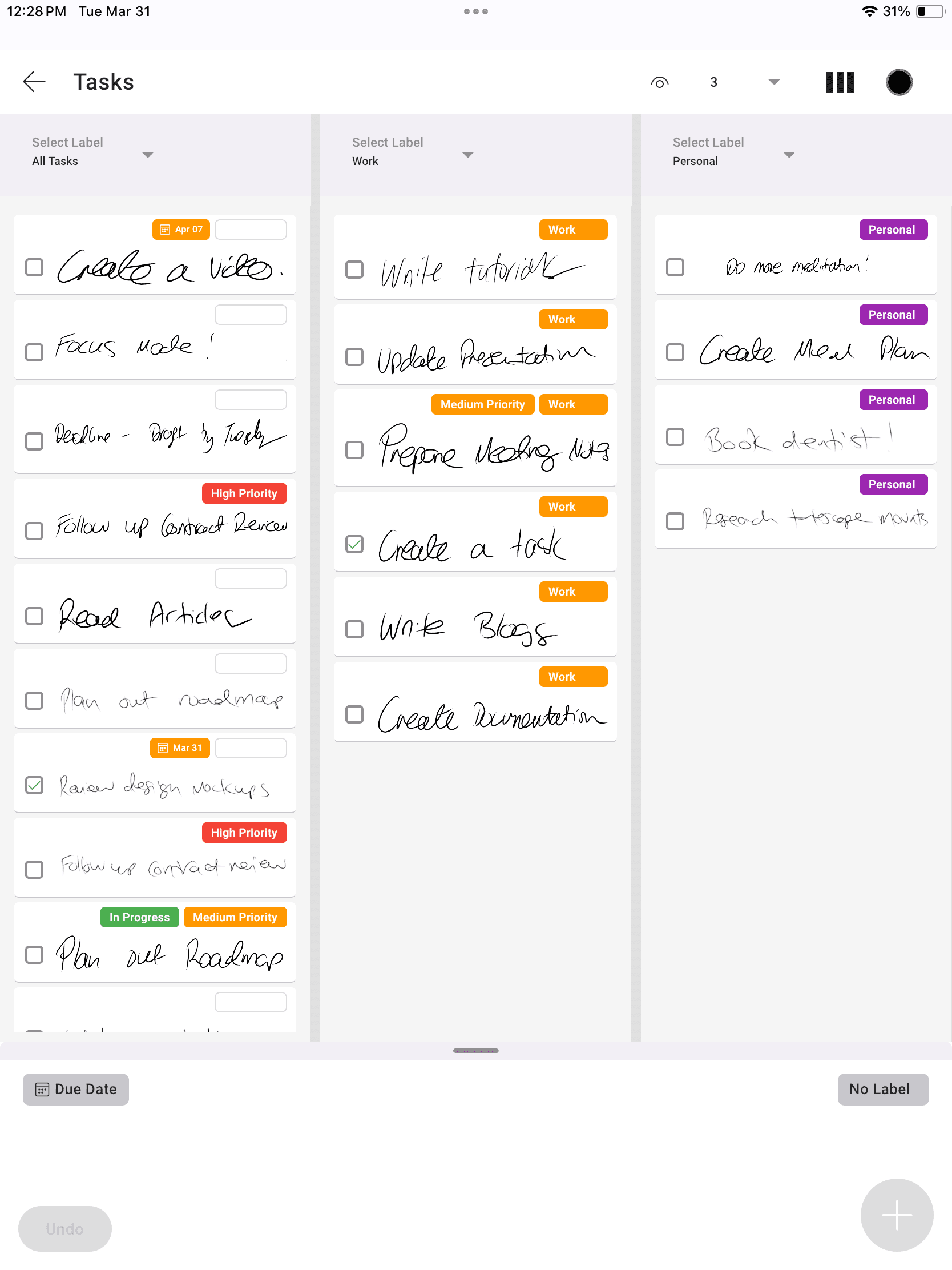
See your tasks in columns based on a label you choose — a visual command centre for your work.
See your tasks in columns based on a label you choose — a visual command centre for your work.
Set Due Dates
Set Due Dates
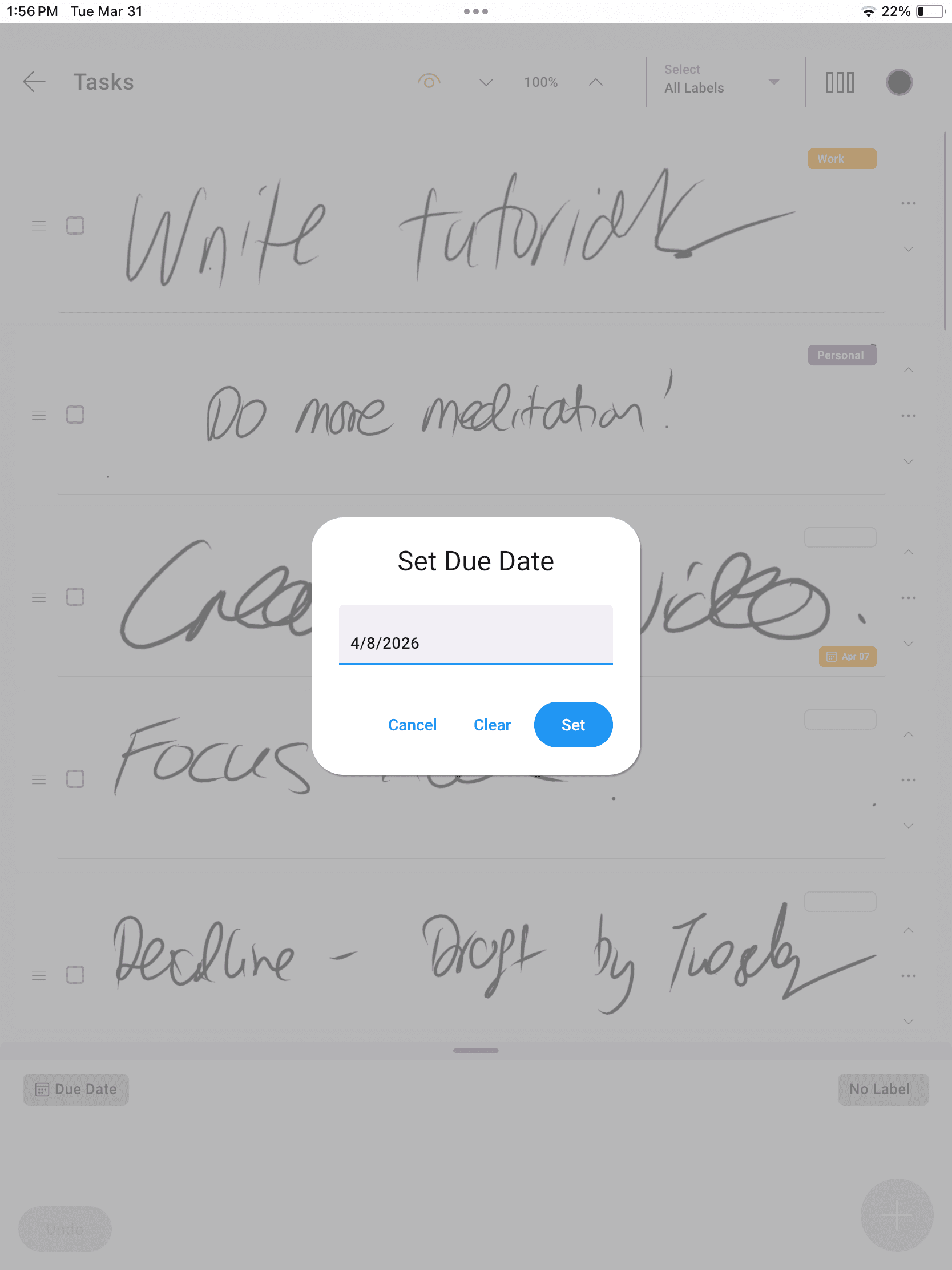
Set a due date on any task and see it appear on your calendar — so upcoming tasks never get lost.
Set a due date on any task and see it appear on your calendar — so upcoming tasks never get lost.
See Tasks on Calendar
See Tasks on Calendar
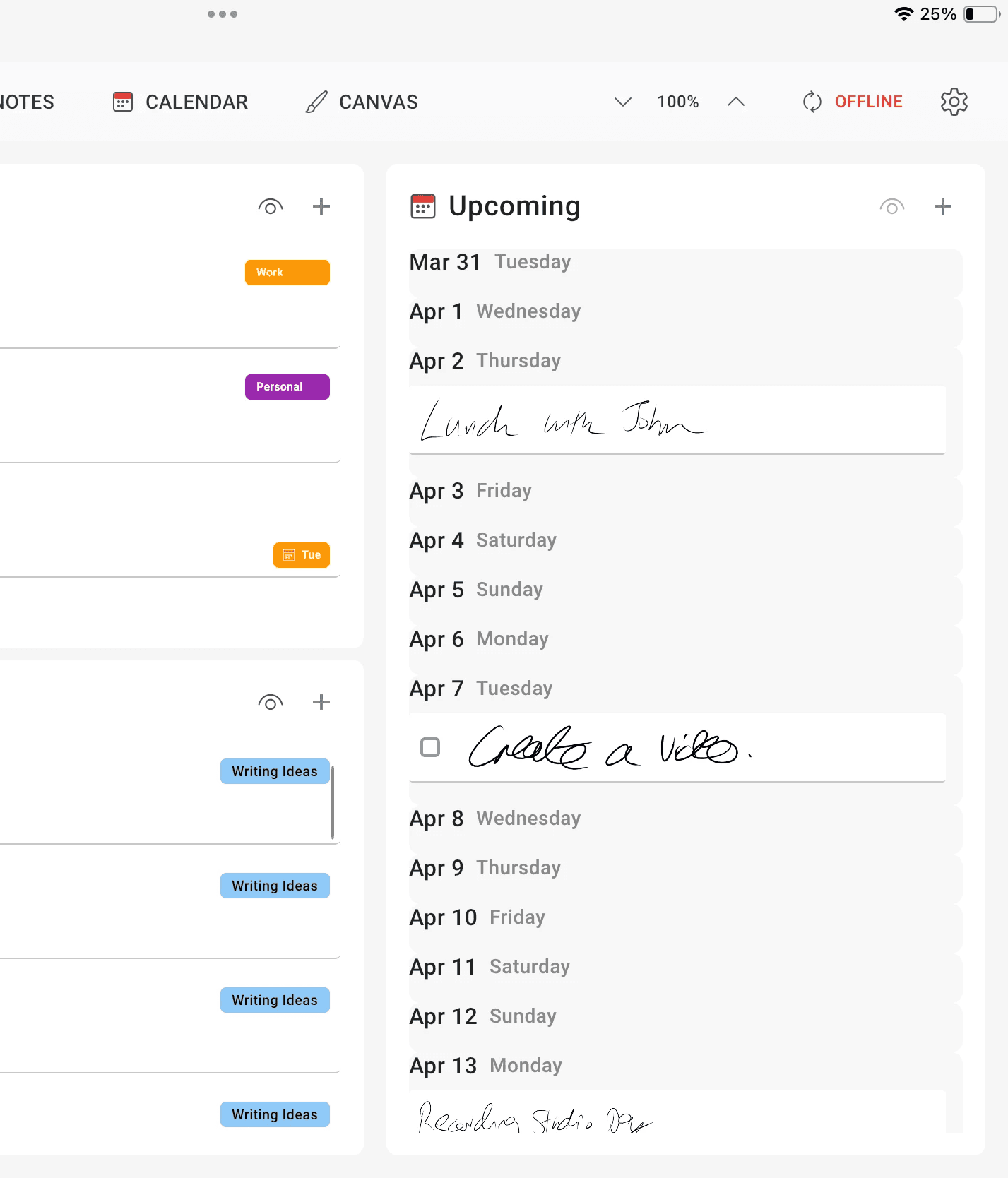
See your Tasks with Due Dates on the Home Page Calendar. Our Smart Due-Date features keeps updating the Due Date by one day if you fall behind!
See your Tasks with Due Dates on the Home Page Calendar. Our Smart Due-Date features keeps updating the Due Date by one day if you fall behind!
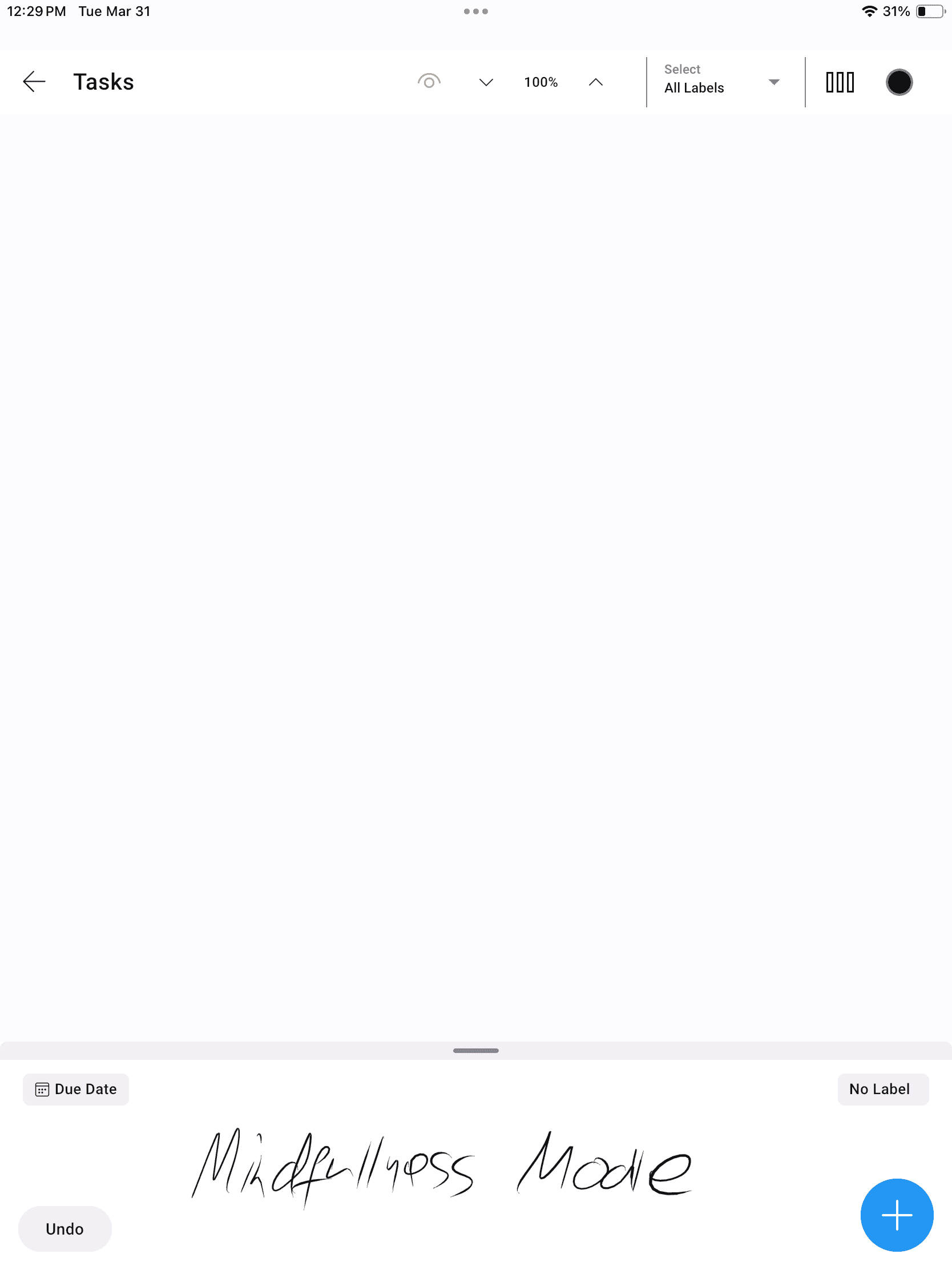
Mindfullness Mode
Mindfullness Mode
Temporarily clear your mind and have a blank page to write down tasks for a project. When finished uncheck mindfulness mode and you'll see all your tasks along with your new ones.
Temporarily clear your mind and have a blank page to write down tasks for a project. When finished uncheck mindfulness mode and you’ll see all your tasks along with your new ones.
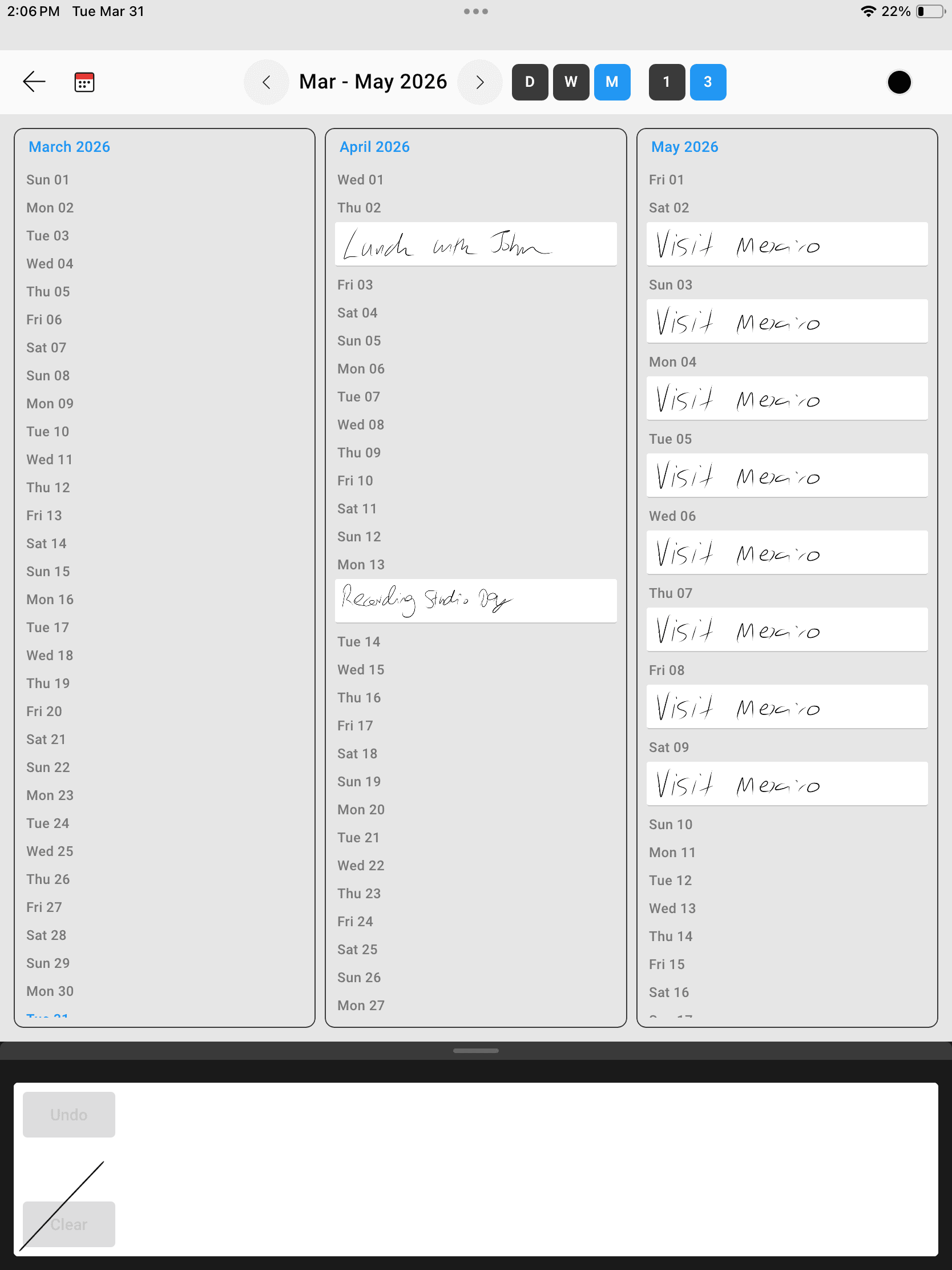
3 Day, Week, Month
3 Day, Week, Month
With Pro you can view 3 days, weeks or months. In Portrait mode we render 3 columns for Month view, and in Landscape view we'll render a full calendar grid with your inked events!
With Pro you can view 3 days, weeks or months. In Portrait mode we render 3 columns for Month view, and in Landscape view we’ll render a full calendar grid with your inked events!
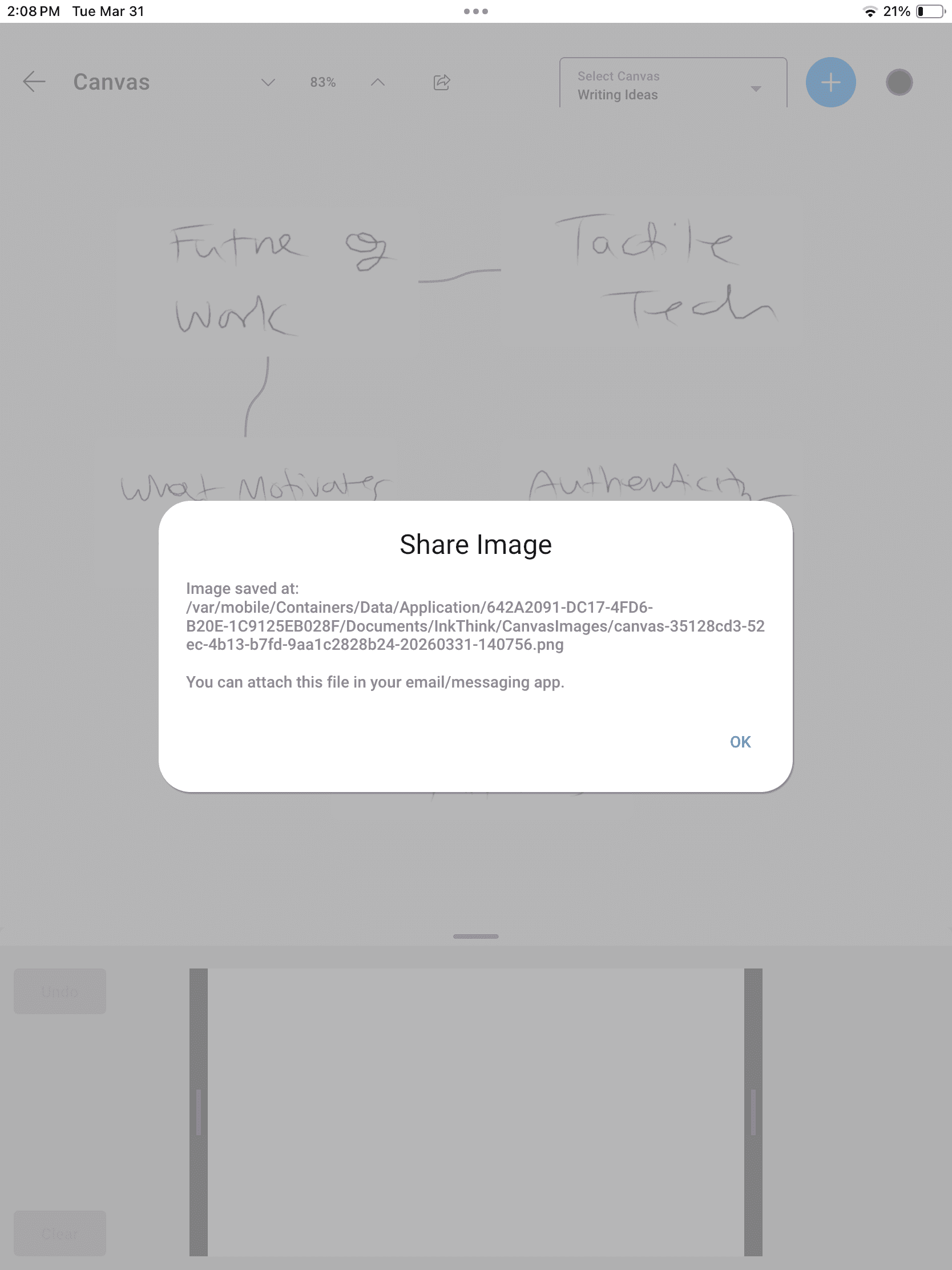
Share your Thoughts
Share your Thoughts
You can share tasks, notes and mind maps to any other app. We generate an image file that you can share to email, messaging, or apps like Trello, Notion.
You can share tasks, notes and mind maps to any other app. We generate an image file that you can share to email, messaging, or apps like Trello, Notion.
Start writing smarter with InkThink
Join stylus-first thinkers who use InkThink to plan, capture and organise their day — offline, on any device.



Start writing smarter with InkThink
Join stylus-first thinkers who use InkThink to plan, capture and organise their day — offline, on any device.
Start writing smarter with InkThink
Join stylus-first thinkers who use InkThink to plan, capture and organise their day — offline, on any device.