Ink Notes
A Handwritten Notes App for Thoughts Worth Keeping
Capture ideas while you listen, watch or meet. Write naturally with a stylus, organise the details with sub-notes, and keep your own words close at hand.

Google Play

Microsoft Store
App Store
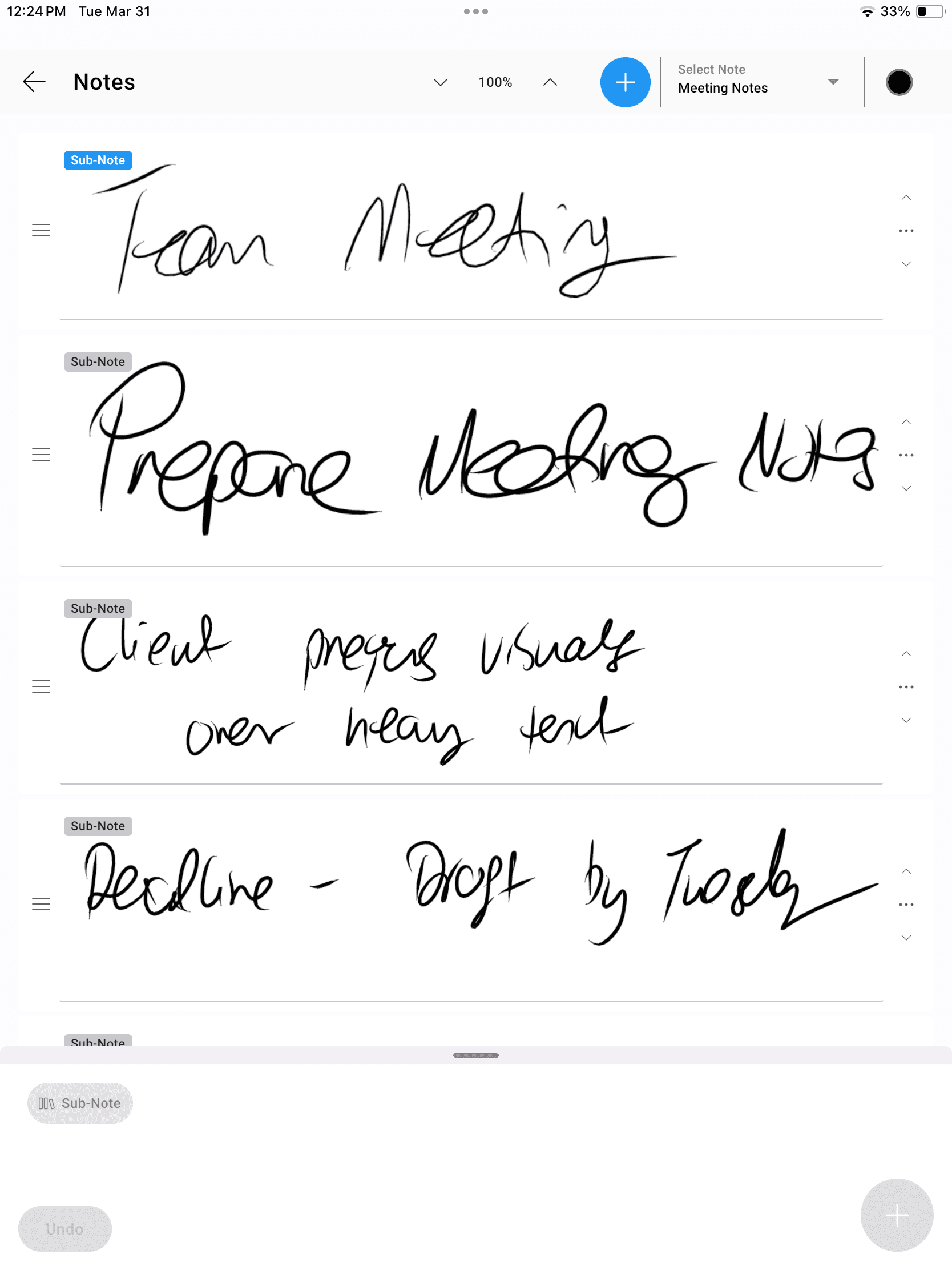
Handwritten meeting notes with sub-notes for another level of organisation. Include Audio and Text - New!
Give Every Thought a Place in Ink
InkThink is a note-taking app with handwriting at its centre. Keep a note for a meeting or topic, then use sub-notes for an extra level of organization.
Capture as you listen
Write down a useful phrase, question or idea with your pen while it is still fresh. Quickly record an audio note to keep up.
Organize with sub-notes
Keep the main topic together and give related details their own sub-notes.
Keep writing offline
Use notes without a live connection. Data stays locally available, with cross-device sync when you are online.
Handwritten Notes for Work, Learning and Life
Use your own handwriting to capture what matters, then organise the details so they are easier to return to.
Handwritten meeting notes
Keep discussion points and questions under a meeting note. Use sub-notes for separate topics or follow-up details.
Notes while learning
Capture explanations while you watch a lesson or listen to a talk. Group related ideas under the same subject.
Project reference notes
Keep a client preference, a useful observation or a draft idea in ink, with sub-notes for the details.
Ideas on the move
Add a quick note when inspiration arrives. Continue using your notes offline on a compatible pen device.
Google Play
Microsoft Store
App Store
Capture First. Organise as You Go.
01
Choose a topic
Start a note for the meeting, project or idea you want to capture.
02
Write the details
Use your stylus to keep the thought in your own handwriting.
03
Add sub-notes
Give related details another level of organisation within your note.
Notes to Keep. Tasks to Do.
InkThink includes separate spaces for reference material and next actions. Choose the space that fits the thought you are capturing.
Keep context in Notes
Use notes and sub-notes for meeting context, observations and ideas you want to revisit. These are Base features.
Capture actions in Tasks
When something needs doing, write a task in the task list. Task due dates and calendar scheduling are available with Pro.
Handwritten Notes App FAQ
How are handwritten notes organised?
You can keep notes for different topics and include sub-notes for an extra level of organisation. This helps separate the main topic from its related details.
Can I take handwritten meeting notes?
Yes. Ink Notes is designed for capturing thoughts while you listen, watch or meet. You write the content yourself with a stylus.
Which devices can I write on?
InkThink supports iPad with Apple Pencil, Android and Windows devices, including compatible pen hardware. Check the Devices page for hardware guidance.
Is InkThink an offline handwriting notes app?
Yes. Notes work offline and data is saved locally. You need an internet connection for purchase and to sync between devices.
Can I share my handwritten notes?
With Pro, you can share notes as images to other apps, such as email or messaging. Notes and sub-notes are included in Base; image sharing is a Pro feature. You can convert notes to canvas to visualize your notes.
