Ink Calendar
A Handwritten Calendar App for Visual Thinkers
Write your schedule naturally with a stylus. InkThink redraws your handwritten entries to fit day, week and month views, so you can change perspective without rewriting your plans.

What Is a Handwritten Calendar App?
A handwritten calendar app combines pen input with a digital schedule. In InkThink, you write calendar entries in your own ink and switch between views while the app redraws the handwriting to fit.
Write naturally
Capture a meeting, appointment, or idea in your own handwriting without stopping to format it.
See ink your way
Your handwritten entries redraw across day, week and month views. Pro adds views of three days, weeks or months.
Plan anywhere
Keep planning offline, then sync your calendar across iPad, Android, Windows, and compatible e-ink devices.
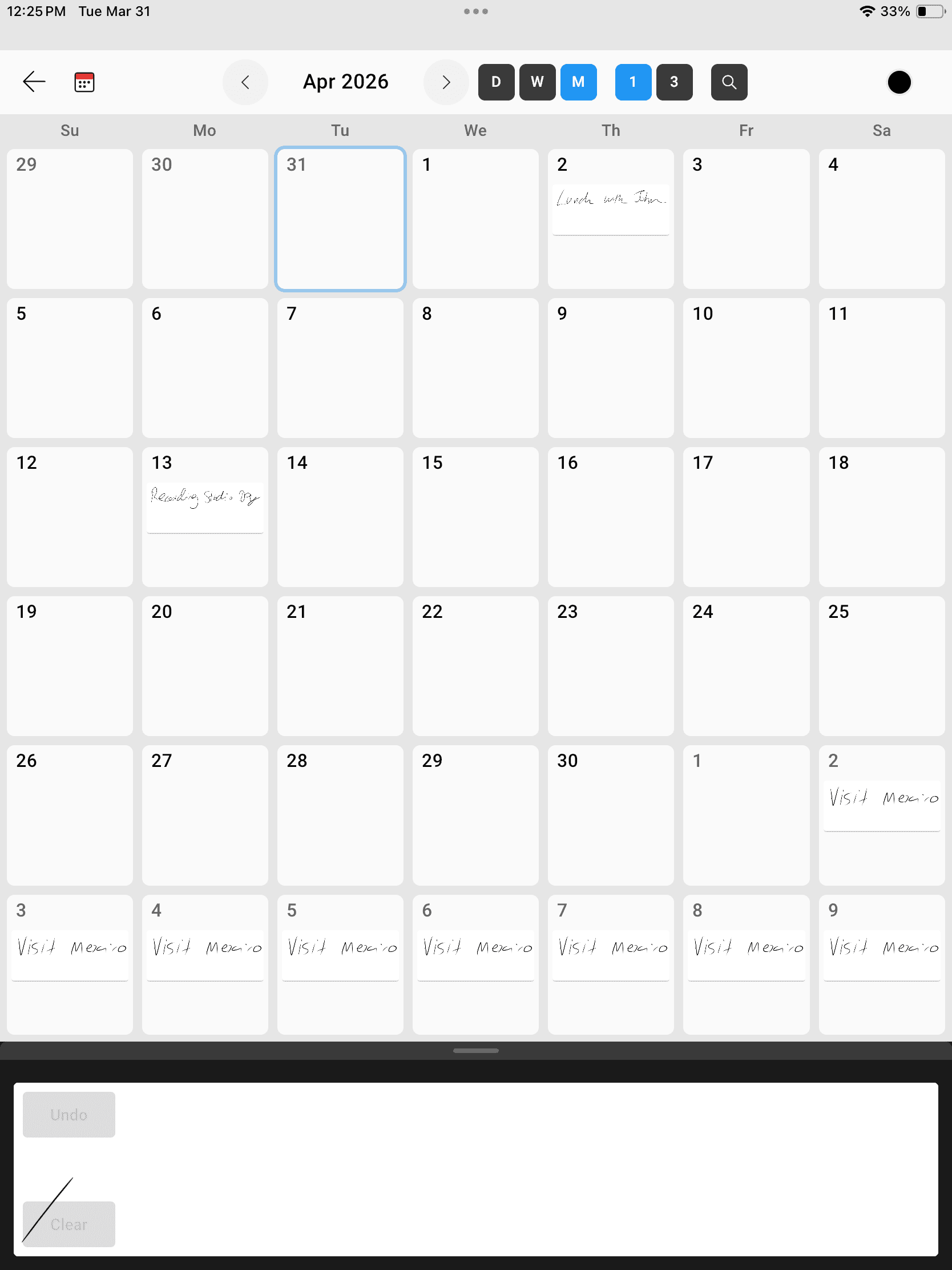
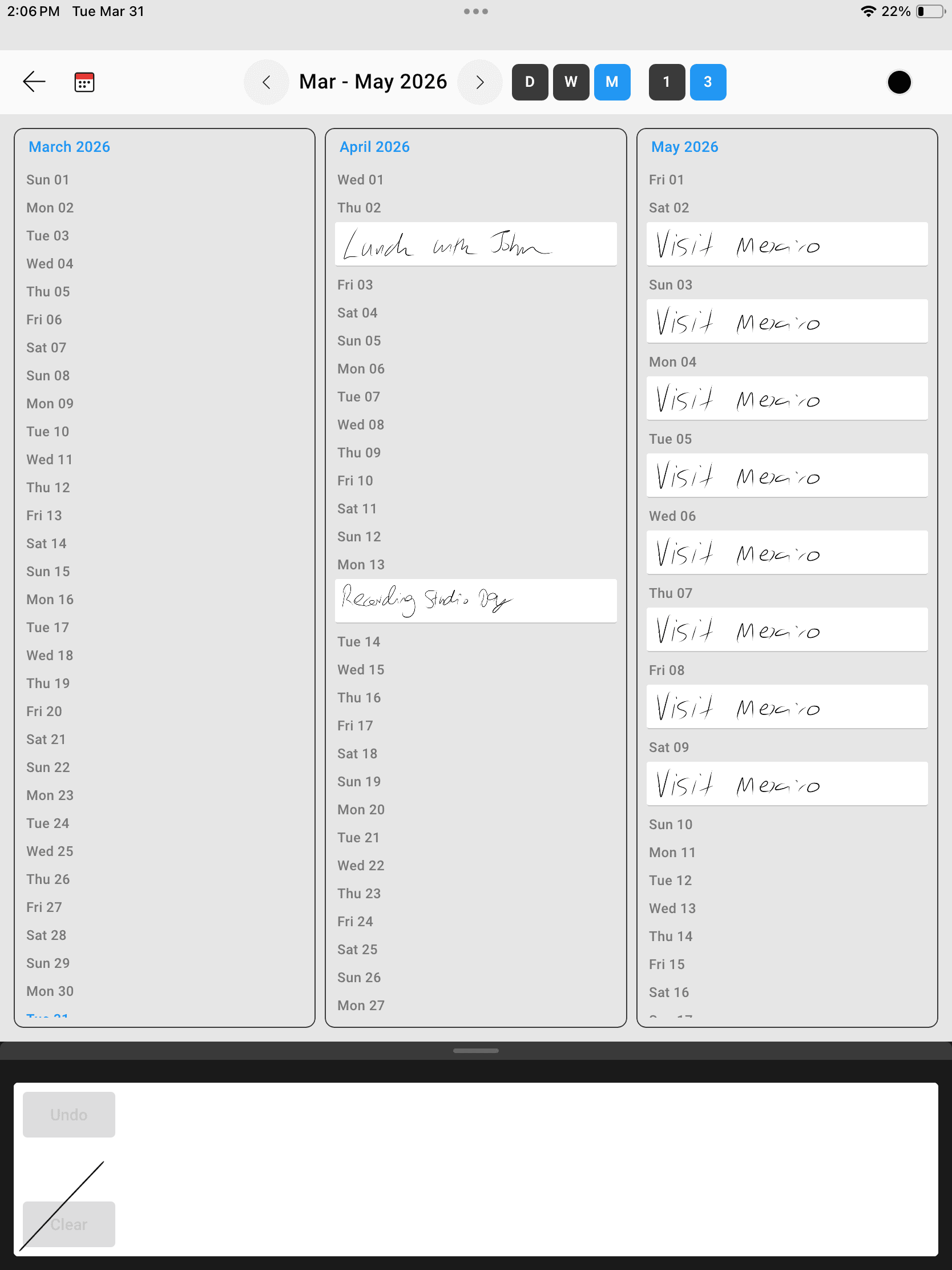
The same handwritten entries, seen differently. Compare Lunch with John and Visit Mexico in these existing InkThink screenshots.
Month view
Three-month view · Pro
A Handwritten Calendar for the Way You Plan
InkThink gives visual planners a single place to schedule time, capture context, and keep ideas connected to the day they belong to.
Daily planning
Write appointments and plans in your calendar. With Pro, tasks with due dates can appear on the calendar too.
Plan a week ahead
Write the commitments you want to keep in view. Switch from a day to a week or month to see the wider schedule.
Plan multi-day events
Add an event that spans several days, such as a vacation or an offsite. Keep its handwritten entry visible across the dates it covers.
Apple Pencil and stylus workflows
Plan naturally on iPad, Samsung Galaxy Tab, Microsoft Surface, or Boox with a low-friction, pen-first interface.

Google Play

Microsoft Store
App Store
Write Once. Change Your View.
01
Write it
Create a calendar entry and write the plan with your stylus.
02
See it reflow
Switch views and let Intelligent Ink redraw your writing to fit.
03
Keep it with you
Work offline and sync the same handwritten plan across your devices.
More Flexible Than a Static Digital Planner
A PDF planner keeps handwriting on document pages. InkThink uses calendar entries that redraw for different views, so your schedule can be seen at different scales.
A page-based PDF planner
Your ink belongs to a document page. Moving between separately designed day, week and month pages does not automatically reflow a calendar entry.
InkThink calendar entries
Write an entry and see it redraw across day, week and month views. Pro adds multi-period views and tasks with due dates on the calendar.
Handwritten Calendar App FAQ
What is a handwritten calendar app?
It is a calendar designed for writing with a stylus or digital pen. InkThink keeps your calendar entries in handwriting and redraws them when you switch views.
Can I handwrite directly on my calendar?
Yes. InkThink lets you write calendar entries naturally, then organizes that ink so it remains useful when you change dates or calendar views.
Does InkThink work with Apple Pencil?
Yes. InkThink supports iPad and Apple Pencil, along with stylus-enabled Android tablets, Microsoft Surface devices, Windows pen hardware, and compatible Boox e-ink tablets.
Can I use the calendar offline?
Yes. Your calendar works offline and data is saved locally. Purchase and cross-device sync need an internet connection.
How is InkThink different from a digital planner?
InkThink is an app with calendar entries, rather than a set of PDF pages. Handwriting redraws in different calendar views, with Tasks, Notes and Canvas available in the same app.
