Weekly Dashboard 2.0: The One That Reflows Itself
Every Sunday I used to rebuild the same weekly spread. Then I built a dashboard that redraws itself when the week changes. Here's the science that made me do it.
Every Sunday night, I used to rebuild the same weekly spread. Move a meeting, redraw the box. Reschedule a workout, re-ink the whole row. By 9pm my Sunday was gone and I had a slightly different version of the page I drew last week.
I started wondering: what if the page just redrew itself when the week changed? What if the layout was the easy part, and the thinking was the only thing left?
That's the question that eventually became the InkThink home dashboard. Here's the science that made me build it, and the part that almost broke me before I got it working.
Why 7±2 is the limit, not the problem
There's a famous 1956 paper by a psychologist named George Miller. He found that the average person can hold about 7 items in working memory at once — give or take 2. That's it. Add a ninth thing, and one of the others falls off.
Most productivity tools try to train you to "hold more." That's a losing game. The limit is the limit. The fix is to externalize the working memory — get it out of your head and onto a page where you can see it all at once. Cognitive scientists call this external cognition, and a weekly dashboard is the simplest version of it.
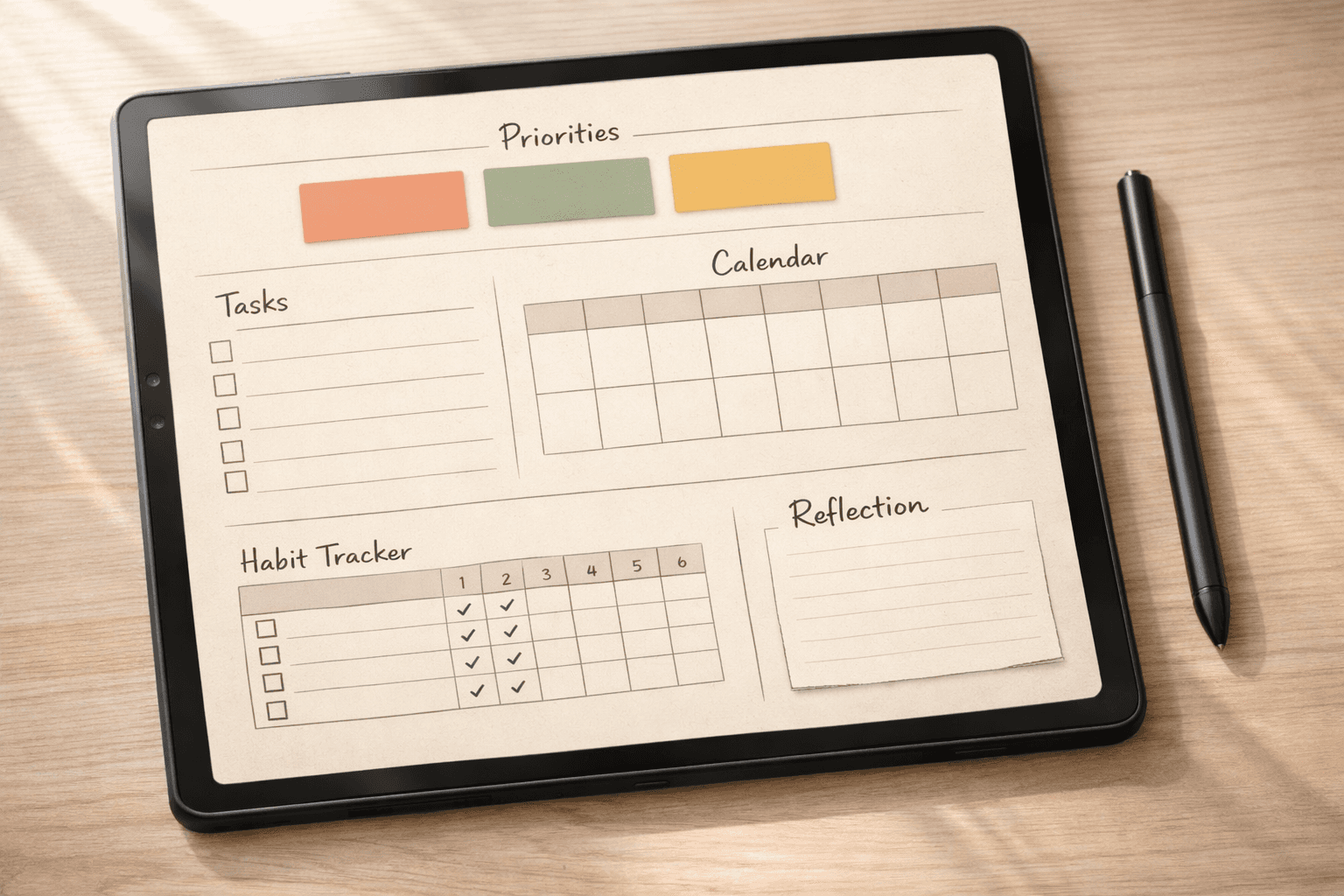
Five widget types cover almost every week:
Priorities (max 3 — the only number that ever needs to be small)
Tasks for the week (5–9 items, anything more falls off the page anyway)
Schedule at a glance (meetings, appointments, blocks)
Habit tracker (the small things you don't want to think about)
Reflection log (what worked, what didn't, what changed)
That layout has been the gold standard for paper planners for a decade. It works because the science is right. The problem isn't the layout — it's that the layout is static.
The Sunday night problem (why paper is beautiful but brittle)
Paper planners are gorgeous. I owned three of them. The act of building the page — drawing boxes, ruling lines, picking a pen — is genuinely satisfying. I won't pretend otherwise.
But the page is a snapshot. Move a Tuesday meeting to Thursday and you erase a box. Reschedule a workout and you re-ink a row. Change a priority and you re-write a header. The page rewards you for building it, not for thinking with it. And thinking is the whole point.
I burned an hour every Sunday rebuilding what I should have been planning. That's the gap.
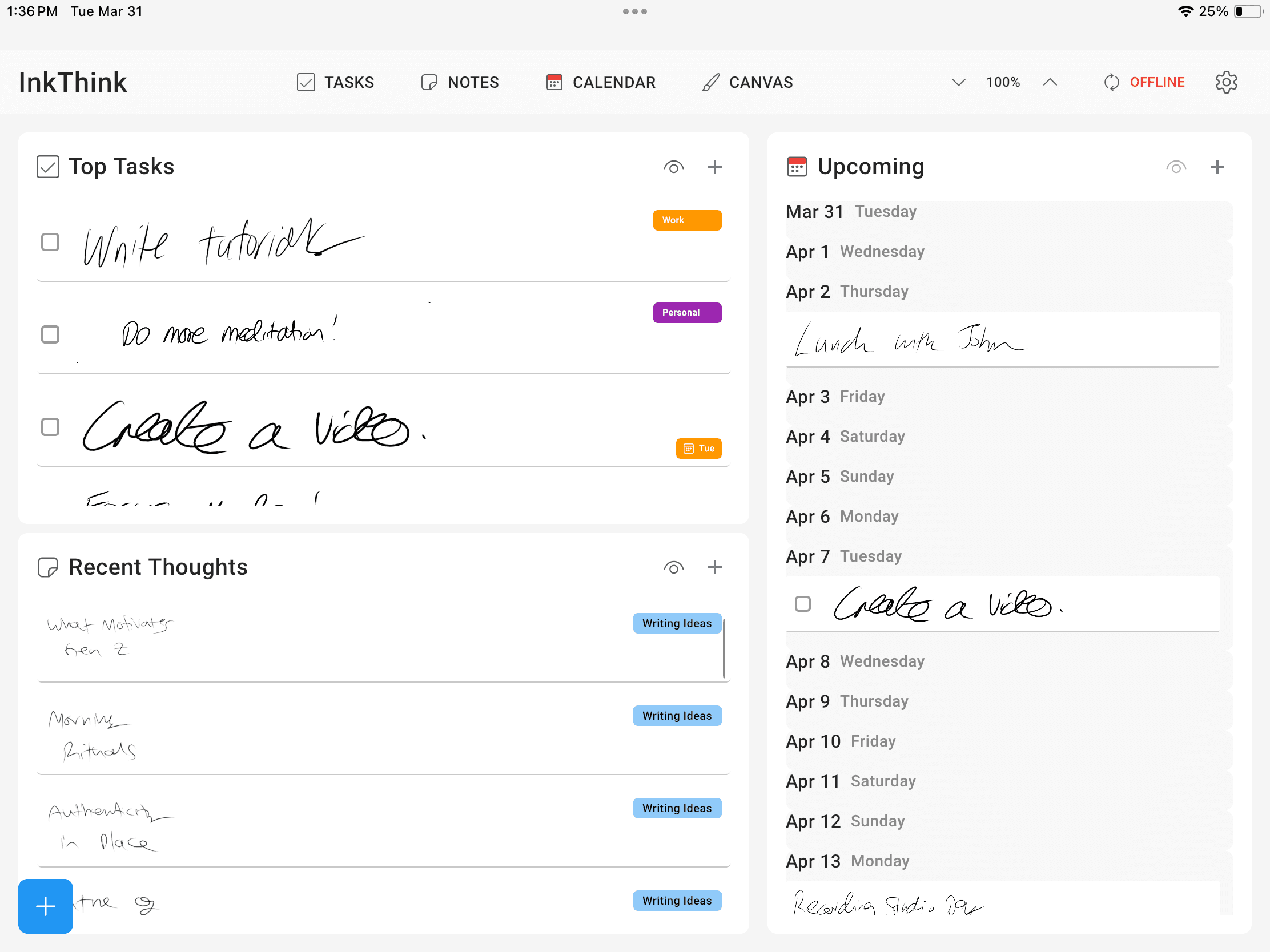
The reflow moment — when the dashboard redraws itself
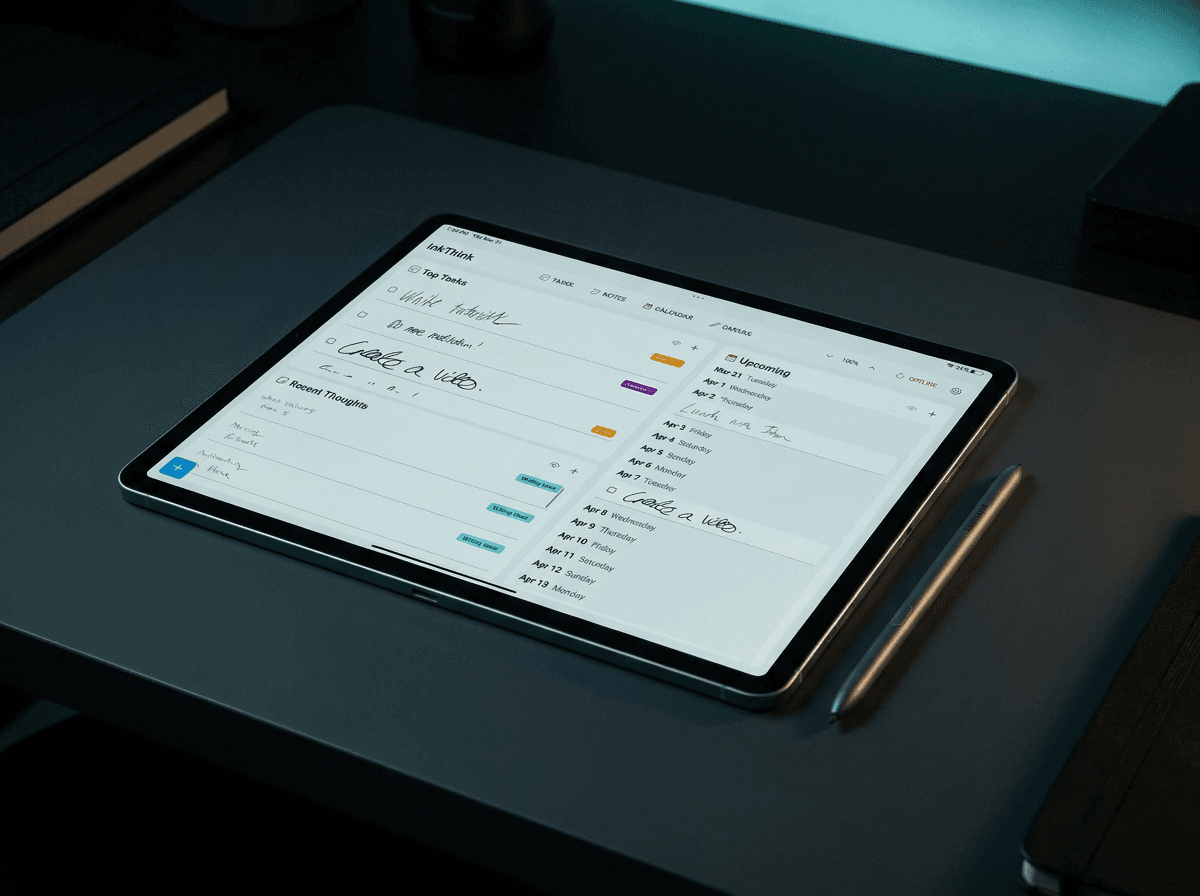
InkThink's weekly dashboard has some of these widgets as the paper version. The difference is what happens when you change something.
Drag a meeting to next Wednesday. The day view updates. The week view updates. The month view updates. The habit tracker recomputes which day "matters" for the streak. The reflection log gets the new time stamped in automatically. You didn't redraw anything. The page reflowed.
Same information, dynamic instead of static:
Priorities — top tasks surface from your linked goals, not redrawn by hand. Change a goal, the priority shifts.
Tasks —show most relevant for the week. The rest archive, not lost — just out of the way.
Schedule — events move themselves. You change the time, the box moves.
Habits — streak data carries forward across weeks. You don't re-fill the tracker; it remembers.
Reflections —notes captured and organized by date. Never lose a thought again.
The first time I saw a meeting move and the rest of the page follow, I sat there for about thirty seconds. That was the moment.
From redrawing to thinking
Paper planners reward the act of building the page. That's the part people miss when they say "paper is better for thinking." It isn't. Paper is better for decorating — and there's nothing wrong with that, if it's the hobby you want. But if the hobby is thinking, the page should follow you, not the other way around.
InkThink is built for the thinking. The home dashboard is the byproduct. The Sunday-night redraw is gone. So is the Sunday-night exhaustion.
Build your first reflow dashboard in 3 steps
1. Open InkThink to the home dashboard. The default view is pre-loaded.
Create Priority Tasks. Look at the tasks list widget and confirm you have your priority tasks labeled as such. Add any high priority tasks for the coming week. Add extra tasks to get them off your mind.
3. Move a meeting — drag it to a different day, or change its time. Watch the rest of the page update. That's the reflow. That's the moment you'll either get it or not.
Label a Habit - Mark any tasks as Habits so you can track them in the week.
Create a notes list called Reflections. Journal some thoughts as you plan this week, and continue to journal through the week so you can recap next Sunday.
One-time purchase, not a subscription
InkThink is a one-time purchase if you buy within the first 7 days of the trial. No monthly fee, no "pro tier" paywall after you've already paid, no recurring "is this app still being supported?" anxiety. You buy the app, you own the app, the dashboard redraws for the rest of the time you use it.
If you've been redrawing the same weekly spread for years and you're tired of the Sunday-night rebuild, try the free trial. Build your dashboard once. Move a meeting. Watch the home dashboard follow.
That's the whole pitch. Welcome to InkThink.