Best Digital Planner App for Stylus Users in 2026
Looking for the best digital planner app for stylus users? Discover why InkThink is the ink-first planner built for Samsung S Pen, Surface Pen, and Apple Pencil users in 2026.
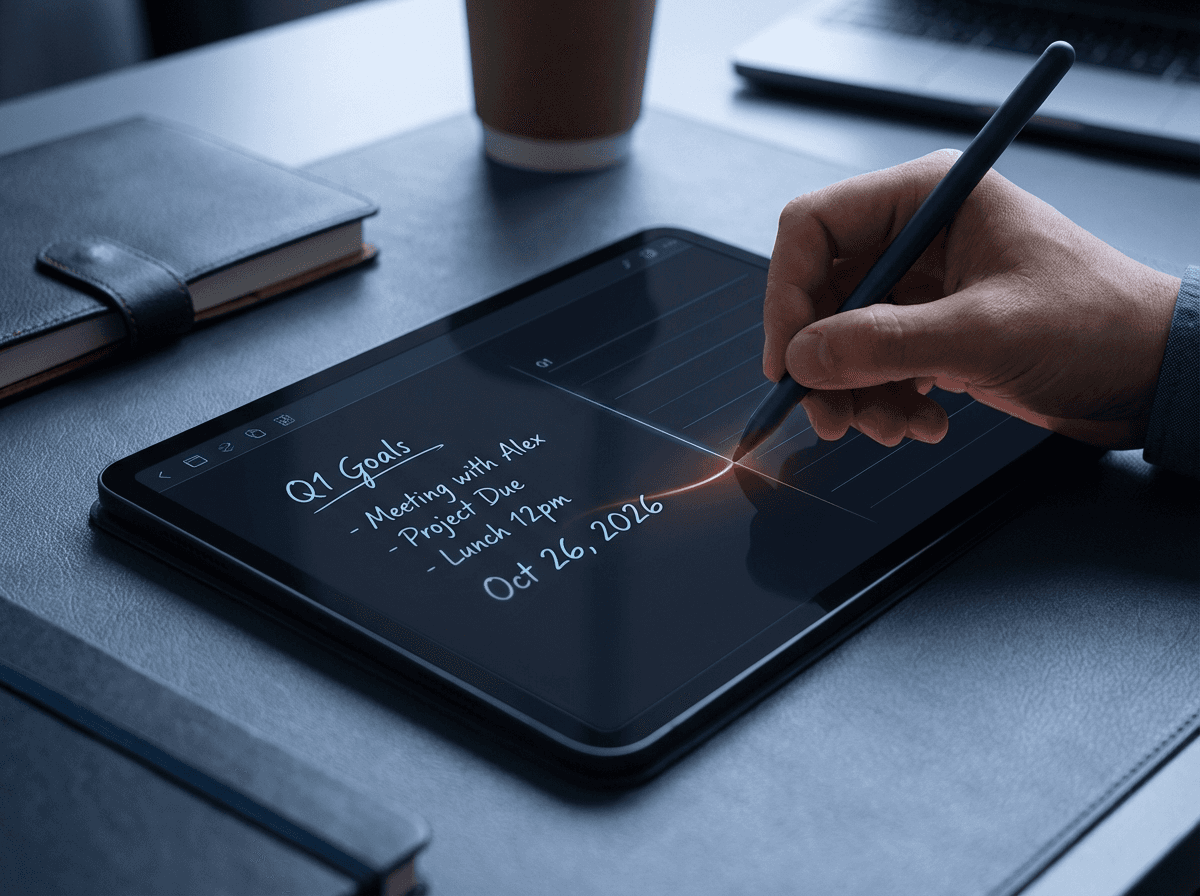
Looking for the best digital planner app for stylus users — or specifically the best planner app for Samsung Galaxy Tab? Discover why InkThink is the ink-first planner built for Samsung S Pen, Surface Pen, and Apple Pencil users in 2026.
If you own a pen-enabled tablet, you already know the problem. Your device is powerful. Your stylus is sitting right there. And yet every digital planner app you try was clearly designed for someone tapping with their finger.
Typed tasks. Rigid templates. Handwriting that gets converted into text you didn't ask for.
It's not a great fit. And you deserve better.
This is the honest guide to finding the best digital planner app for stylus users in 2026 — what to look for, what to avoid, and why one app is doing something genuinely different.
What Makes a Great Stylus Planner App?
Not all digital planners are created equal — especially for pen users. Here's what actually matters:
Stylus-first input — pen should be the primary interaction, not an afterthought
Handwriting preserved as ink — your writing should look like your writing, not a font
Dynamic views — tasks and calendar entries that reflow across day, week, and month views
Offline-first — works without a connection, because thinking doesn't wait for Wi-Fi
Cross-platform — works natively on Android, Windows, and iOS, not just iPad
One-time purchase — you shouldn't pay a monthly fee just to plan your day
Most apps tick one or two of these boxes. Very few tick all of them.
The Problem With Most Digital Planner Apps
The majority of planner apps fall into one of two traps:
Trap 1: They're really note-taking apps in disguise. GoodNotes, Notability, Noteshelf — these are excellent apps, but they're built for capturing and organising notes, not for managing tasks and planning your day. Writing a to-do list on a static PDF isn't the same as having a living, dynamic task system.
Trap 2: They're subscription-based. GoodNotes switched to a subscription model. Day One costs $99/year. PlanWiz, Zinnia, Structured — all monthly fees. If you just want to plan your week with a stylus, the subscription model feels like overkill.
Why InkThink Is Different
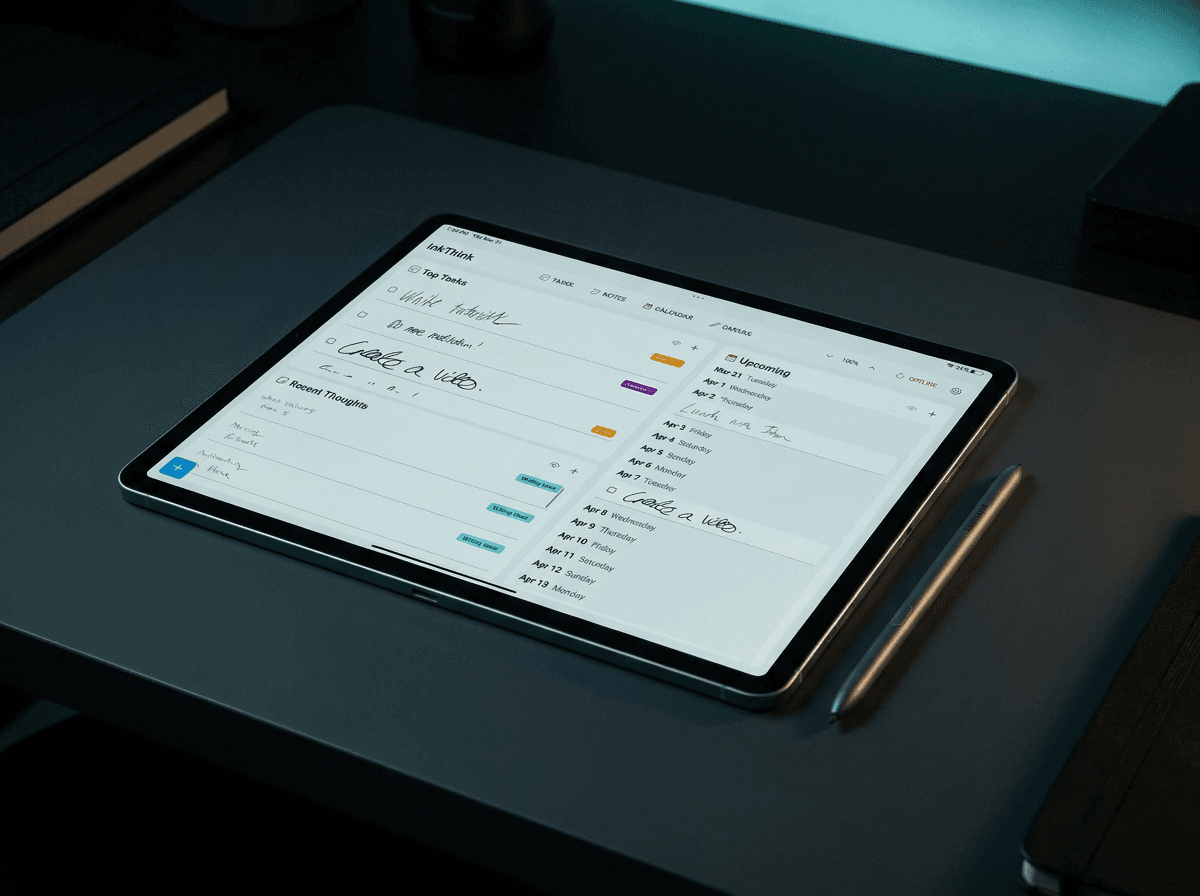
InkThink is a stylus-first digital planner app for Android, Windows, and iOS that lets users write tasks, calendar entries, and diary notes by hand — without converting handwriting to text.
InkThink is built from the ground up as a stylus-first daily planner — not a note-taking app, not a project manager. Just your ink-first thinking and planning space.
Here's what sets it apart:
Intelligent Ink Technology
InkThink doesn't convert your handwriting to text. It stores your raw ink as living, modular data — meaning your handwritten tasks can reflow dynamically across Day, Week, and Month calendar views. Write a task on Tuesday, move it to Thursday — it moves as ink, exactly as you wrote it.
Built for Every Pen, Not Just Apple Pencil
Most stylus planners assume you have an iPad. InkThink is built natively for:
Samsung Galaxy Tab with S Pen — full native Android support with pressure sensitivity and palm rejection
Microsoft Surface with Surface Pen
iPad with Apple Pencil
Boox and e-ink devices
If you've been an Android or Windows stylus user feeling left out — this one's for you.
One-Time Purchase
No subscription. You buy it, you own it. Forever. In a market drowning in monthly fees, that's a genuine breath of fresh air.
Everything in One Place
InkThink combines handwritten tasks, a dynamic calendar, a diary/journal, and a freeform canvas for quick visual thinking — all in a single workspace. No app-switching, no context loss.
The Best Planner App for Samsung Galaxy Tab
If you're a Samsung Galaxy Tab user, you've probably noticed that most planner apps are built with iPad in mind. The result is an Android experience that feels like an afterthought — limited stylus support, clunky interfaces, or missing features that iPad users take for granted.
InkThink was designed differently. It's one of the few planner apps with native Samsung Galaxy Tab support, built specifically to take advantage of the S Pen — not just tolerate it.
Why InkThink Works So Well on Samsung Galaxy Tab
S Pen pressure sensitivity — InkThink responds to the full range of S Pen input, so your handwriting feels natural and expressive, not flat or mechanical.
Palm rejection — Write naturally with your hand resting on the screen. InkThink handles the rest.
No conversion, no compromise — Your handwritten tasks, calendar entries, and diary notes stay as ink. On a Samsung Galaxy Tab, this means your S Pen writing looks exactly as you intended — not reformatted into a generic font.
Offline-first — The Samsung Galaxy Tab is a powerful standalone device. InkThink works fully offline, so your planner works wherever your tablet goes.
Whether you have a Samsung Galaxy Tab S9, Tab S8, Tab S7+, or any other S Pen-compatible model, InkThink gives you a planner that genuinely matches the quality of your device. No compromises, no workarounds — just a handwriting-first planner that works the way your S Pen was meant to be used.
Who Is InkThink For?
InkThink is the right fit if you:
Own a pen-enabled tablet and want to actually use the stylus for planning
Prefer handwriting over typing for tasks and to-dos
Want a daily planner, not a deep knowledge management system
Are tired of paying monthly for apps you already own
If you need deep note-taking, index cards, or a full knowledge base, check out NoteDex — InkThink's companion app built for comprehensive capture and memory. Together, they form a complete ink-first productivity stack: NoteDex thinks, InkThink acts.
The Verdict
The best digital planner app for stylus users in 2026 is one that treats your handwriting as a first-class citizen — not a workaround, not a gimmick, but the actual foundation of how the app works.
InkThink does exactly that. And with a one-time purchase model and true cross-platform support — including best-in-class Samsung Galaxy Tab support — it's the stylus planner the market has been waiting for.
Ready to plan the way you think? Try InkThink today.
Frequently Asked Questions
What is InkThink?
InkThink is a stylus-first digital planner app for Android, Windows, and iOS that lets users write tasks, calendar entries, diary notes, and journal entries by hand — without converting handwriting to text.
Does InkThink require a subscription?
No. InkThink is a one-time purchase. You buy it, you own it — no monthly or annual fees.
What is the best planner app for Samsung Galaxy Tab?
InkThink is purpose-built for Samsung Galaxy Tab users who want a handwriting-first planner. Unlike most planner apps that are designed for iPad and adapted for Android, InkThink was built with native Android support from the start — making it one of the few apps that fully leverages the S Pen for task planning, calendar management, and daily journaling without converting handwriting to text.
Does InkThink work on Samsung Galaxy Tab with S Pen?
Yes. InkThink is one of the best planner apps for Samsung Galaxy Tab, with full native Android support that takes advantage of the S Pen's pressure sensitivity and palm rejection. Whether you use a Galaxy Tab S7, S8, S9, or any S Pen-compatible model, InkThink gives you a handwriting-first planner experience designed for Android — not ported from iPad.
Does InkThink work on Microsoft Surface with Surface Pen?
Yes. InkThink supports Windows natively, making it one of the only cross-platform handwritten planners available for Surface Pen users.
What is the difference between InkThink and GoodNotes?
GoodNotes is a note-taking app that lets you write on PDF templates. InkThink is a dynamic planner where your handwritten tasks and calendar entries are living data — they reflow across day, week, and month views without converting to text.
Does InkThink convert handwriting to text?
No. InkThink stores your raw ink exactly as you wrote it, preserving your natural handwriting style. Your tasks and entries move and reflow as ink, not typed text.
What is the difference between InkThink and NoteDex?
InkThink is your daily action layer — handwritten tasks, calendar, diary, and journaling. NoteDex is a comprehensive capture and memory system for deep note-taking, index cards, and knowledge management. They work together as companion apps: NoteDex thinks, InkThink acts.
Does InkThink work on e-ink devices like Boox?
Yes. InkThink supports Boox and other e-ink devices, and early users on e-ink devices showed some of the highest engagement with the app.
Is InkThink available on iPad?
Yes. InkThink is available on iOS/iPadOS with full Apple Pencil support, as well as Android, Windows, and e-ink devices.