Action, not Retrospection: How to Turn Scattered Thoughts Into Finished Work
Thinking should produce action, not review. Five ways to think on paper, why one rough-draft book beats five notebooks, and how InkThink removes the sorting step between capturing and doing.
I have never once failed to capture a good idea. The failure always comes later. I write on sticky notes, in notebook margins, in the notes app on my phone at 11pm. And then the whole pile just sits there. A video by Rachelle in theory finally gave the thing a name: Action, not Retrospection. Thinking has to produce something. Reviewing your own thinking is not the same thing at all, and treating it like it is, is exactly why my notes never went anywhere.
The gap between capturing and doing
Here is the theory, and it is embarrassingly simple. You capture a thought. Then, based on what it is, it should go somewhere specific. An event goes on the calendar. A task goes into the task manager. A project goes into a project planner. A reference note goes into a notes app.
You already know this. Everyone does. The lines are obvious on paper.
The problem is that each capture turns into a decision, and a stack of decisions is exhausting. You write down a thought, and then you have to work out where it goes, and what shape it should take, and where it lives afterwards. On a good day that is a five-second decision. On a tired day it is the reason you never open the notebook again.
That is the trap I fell into. The notebooks got full, but not of ideas. They got full of unresolved routing. Opening one meant facing a pile of decisions I had not made yet. So I stopped opening them. The ideas did not get better organized. They just got older.
Thinking that only gets reviewed is not thinking. It is hoarding.
Thinking is supposed to produce action, not review
This is where I had the wrong mental model. I thought a notes system was an archive. You write things down so you can find them again, revisit them, maybe get inspired later. That is a museum. Museums are nice. Museums do not ship anything.
The opposite model is a workbench. You write things down so you can move them. A rough idea gets drafted, roughed up, argued with, and then it either turns into a real thing or gets deleted. Either outcome is fine. What is not fine is a capture that never gets touched again.
Review thinking (the museum) | Action thinking (the workbench) |
You write it down so you can find it later | You write it down so you can move it forward |
The notebook is a permanent record | The surface is disposable once it has done its job |
Success means nothing gets lost | Success means things get finished |
You re-read what you wrote | You act on what you wrote |
Same ink. Same hand. Completely different relationship to the page.
Five ways to think on paper
The video breaks the actual practice into five exercises, and they are worth learning because they are about the shape of the thinking, not the app you happen to do it in. I have reordered these slightly by how often I reach for them.
Exercise | What it does | Reach for it when |
Brain dump | Gets everything out of your head onto one page | Too many open loops and you cannot think straight |
Mind map | Takes one idea and branches it out in depth | One topic keeps expanding and needs a boundary |
Journaling | Forces the problem into sentences so you can reason about it | The problem has emotion attached to it and you are avoiding it |
Drawing | Explains things that words keep failing to capture | You are working on something with layout, structure or sequence |
Rough draft | Plans the thing badly on paper before you plan it properly | You are about to commit a project plan somewhere it will be hard to change |
The rough draft is the one I would keep if I could only keep one. It is also the one almost nobody does.
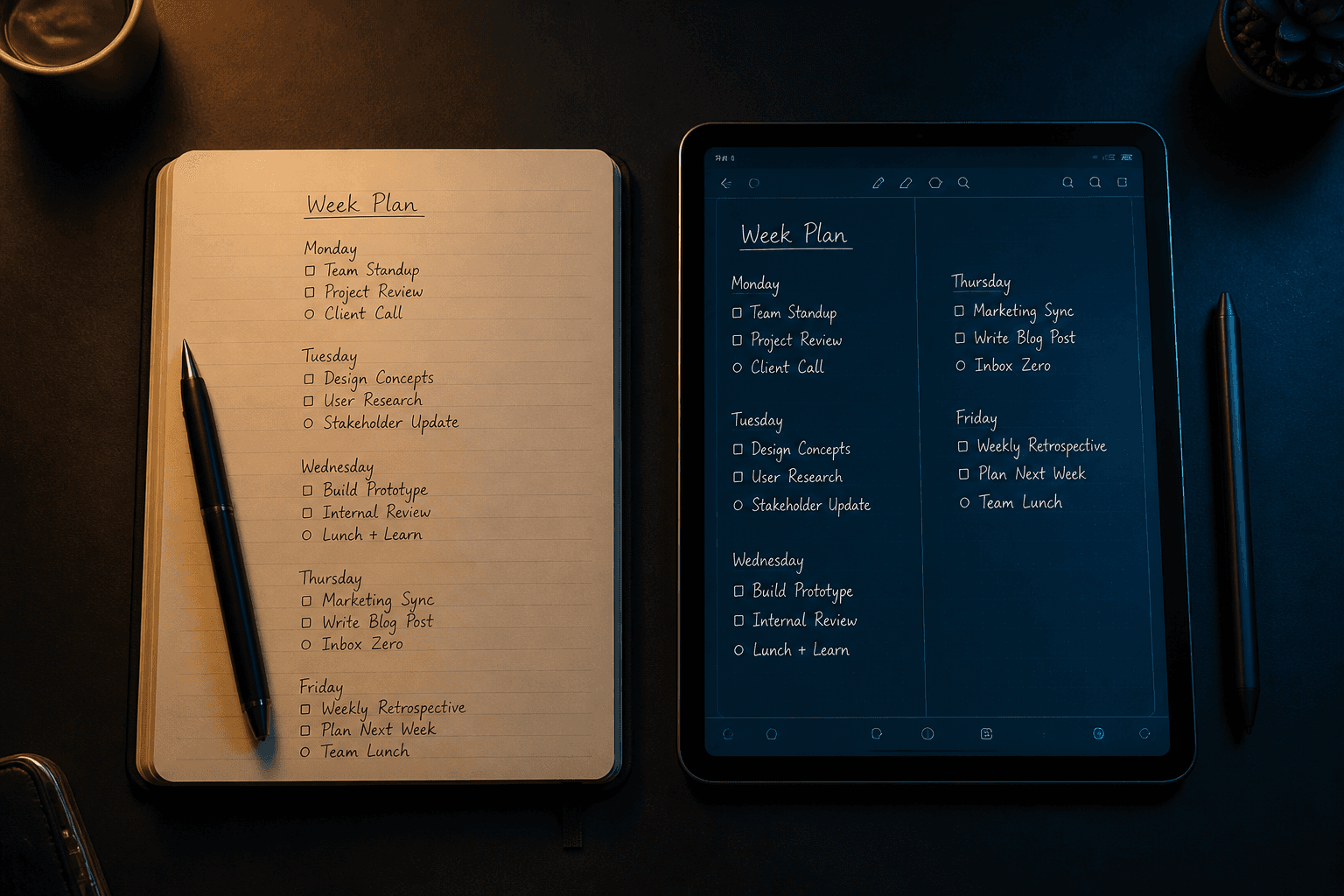
We think project planning belongs in the expensive planner. The nice one. The one we will still be referencing in six months. So we do not plan at all, or we plan in our heads, which does not count. A rough draft breaks that loop. You lay out the whole shape of a project on cheap paper, the weeks, the milestones, the rough order of work, and you are allowed to draw arrows and shift things around, because nothing is final and nothing is precious.
Once you like what you see, you move it. Into the calendar, into the task list, into whatever you will actually use. The rough draft is a staging area, not a home.
Two rules that make it work
One book. All of it.
Not one notebook for work and another for personal. One. Every loose scrap goes into the same book: the receipt with a note on the back, the napkin sketch, the half page you wrote in the car.
One place means you actually know where to look.
One place means you stop abandoning a notebook because it is nearly full.
One place means searching your own thinking is a physical flip, not a hunt.
The surface is temporary
This is the part that changed everything for me. The book is not a journal. You are not going to keep it forever. You cross out pages when the thinking is done, or tear them out, or black them out. It is meant to be used, abused, and eventually discarded.
Knowing that in advance makes it much easier to write the ugly version. The first draft of anything is bad. It is only embarrassing if you assume it is going on a shelf. If the page goes in the bin the moment it has done its job, then you have nothing to protect, and you can just write.
What changes when the surface is digital
The method is the asset. The paper is not the point. And that is exactly where a lot of paper-first advice quietly fails, because the whole reason the pile grew in the first place was that the sorting step was manual.
I built InkThink around the same five exercises, with the routing taken out.
One app, four spaces. Tasks, Notes, Calendar and Canvas. A brain dump goes to Notes, a mind map goes to Canvas, a rough-drafted plan goes to Tasks or Calendar. All in the same ink.
The ink is data, not a picture. Write one entry into a day and it reflows into your week and month views, date-aware, with nothing re-typed.
Write a task in ink and it lands in the task list. Reorder it with a flick and the ink moves, not the app.
Canvas is a whiteboard and mind-map canvas, where you arrange ideas freely like index cards on a corkboard. It ships in the base app and it works offline.
That last one is the real answer to the sticky-note problem. The loose scraps were never the enemy. Scattering them across a desk, a car console and a coat pocket was. InkThink gives you the one book, and it also gives you a day view, so a rough draft has somewhere to land the moment it is good enough.
Pro is where the deeper views live: 3-day, 3-week and 3-month calendar views, Kanban and project views for tasks, due dates and filters, split-screen, habit tracking, and Google and Microsoft 365 calendars in read-only mode, so your real events sit next to your ink and nothing you draw ever touches your real calendar.
Start with one capture
You do not need to overhaul your system. You need one place to put things, and a rule that the page is disposable.
The rule is the important half. A book you keep forever is a museum. A book you are allowed to ruin is a workbench. InkThink is built to be the second one. Handwrite it, let it reflow, and let the rough version exist without defending it.
There is a 7-day free trial with every feature enabled. The Base app is a one-time purchase at $24.99 for all your devices, and Pro is an optional yearly subscription at $24.99 a year if you want the deeper views. Buy Base during the trial and Pro comes free for a year.
— Prem, Creator of InkThink
Frequently asked questions
Should I keep my paper notes if I use InkThink?
Keep them if they are working. The method does not care what the surface is. Most people I talk to start by using InkThink for the rough-draft stage, the part where ideas are still moving, and leave paper for journalling.
What exactly is a rough draft?
A bad first pass of a plan, made somewhere that changing it is cheap. Lay out the weeks, the milestones, the order of work. Move things around. Cross out what you do not want. It becomes useful the moment it is good enough to move somewhere real.
Do I need a separate app for tasks, notes, calendar and mind maps?
No, and that separation is usually why the pile grows. In InkThink all four live in the same app and the same ink, so a thought does not need a decision about where it goes before you can capture it.
Does handwriting in InkThink actually become a task or a calendar event?
Write a task in ink and it lands in the task list. Write a calendar entry on a day and it reflows into your week and month views, date-aware, without you re-typing it. The reflow is what removes the second transcription pass.
Can I use InkThink offline?
Yes. After the trial you go online once to purchase, and after that it works offline, Canvas included. Sync between your devices whenever you want it.
Which devices does it work on?
iPad, Galaxy Tab, Surface and Boox, and it is built for e-ink too, which matters more than people expect. A planner you cannot read in sunlight is not a planner.
Is InkThink a subscription?
The Base app is a one-time purchase for all your devices. Pro is an optional yearly subscription. The 7-day trial has everything unlocked, so you can decide before you pay for anything.
What if I still do not know what to do with a capture?
That is the original problem, and no app fully solves it. What solves it is the rough draft. Write the thing down badly, cross out the noise, and the next step usually shows up in what is left.