2027 Planning
Plan Your 2027 In Your Own Handwriting
The 2027 planner that writes back. Handwritten tasks and calendar that reflow across day, week and month — on the device you already own.

Google Play

Microsoft Store
App Store
Your 2027, in ink instead of a PDF template. Free for 7 days, no card.

The Feel of a Paper Planner. Room to Reorganise.
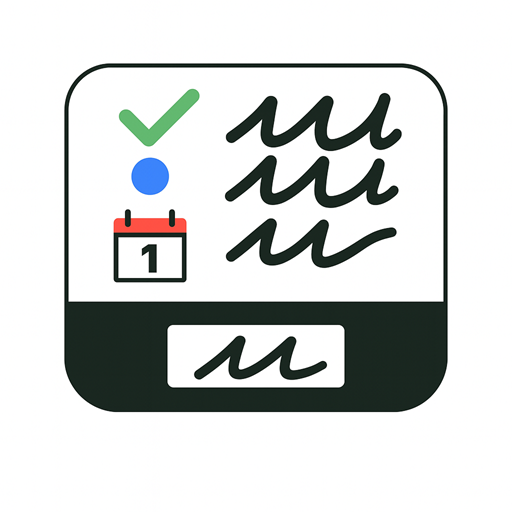
InkThink gives each handwritten task its own place in a scrollable list. Your words stay in ink, while tasks, calendar entries and notes stay connected — and reflow across day, week and month views when your plans change.
Write a task
Capture a 2027 goal with your pen, without turning the thought into typed text.
Reorder your year
Move tasks up or down your handwritten list as your priorities change.
See the whole year
Calendar entries reflow across day, week and month views, so the plan you wrote is never stranded in one place.
One Planner, Many Kinds of Year
From the first day back to work to the trip you are already planning — keep the next thing visible without rewriting the whole list.
January, deliberately
Set up one month, not twelve. Live in it, then decide what March actually needs.
Recurring commitments
Write the weekly skeleton first — the habits that repeat are the first thing lost when you rebuild from scratch.
Work and personal, one place
Use labels such as Work and Personal to organise errands, creative ideas and commitments in the same app.
Your 2027 planner, on your device
Handwrite on iPad with Apple Pencil, or on a compatible Android, Windows or Boox pen device.
Google Play
Microsoft Store
App Store
From a Blank Page to a Working Year
01
Write it
Add a handwritten task or calendar entry with your pen — no template, no typing.
02
Shape it
Reorder the list and label the work. The plan moves when your life moves.
03
Live in it
Check it off, and watch it carry across day, week and month views.
Start with Ink. Add More with Pro.
The handwritten planner is part of Base. Pro adds ways to put dates, labels and a wider planning view around what you have already written.
Base: write, reorder, label
Keep a scrollable handwritten list, rearrange tasks, and use labels to organise and filter them. Works offline, on every supported device.
Pro: dates and visual planning
Set task due dates, see dated tasks on your calendar, and view tasks in Kanban columns and Priority Matrix views.
2027 Planner FAQ
What makes this a 2027 planner?
It is a planner you write in by hand, built for the year ahead rather than a fixed monthly PDF. Your 2027 starts as ink on a page you can rearrange, not a template you fill in.
Is it a one-time purchase?
Yes. The Base app is a one-time purchase and there is a free 7-day trial with no card required. Pro is an optional subscription.
Can I use Apple Pencil, S Pen or a Surface pen?
Yes. InkThink supports iPad with Apple Pencil, Samsung Galaxy Tab with S Pen, Microsoft Surface with Pen, and compatible Boox e-ink devices. See compatible devices for the full list.
Does it work offline?
Yes. You can plan with tasks and calendar offline and keep data locally. An internet connection is needed for purchases and sync.
What is the free trial?
Seven days, no card required. Download from Google Play, the Microsoft Store or the App Store.
Plan Your 2027 With InkThink
Start writing smarter with InkThink
Join stylus-first thinkers who use InkThink to plan, capture and organise their day — offline, and in their own handwriting.
